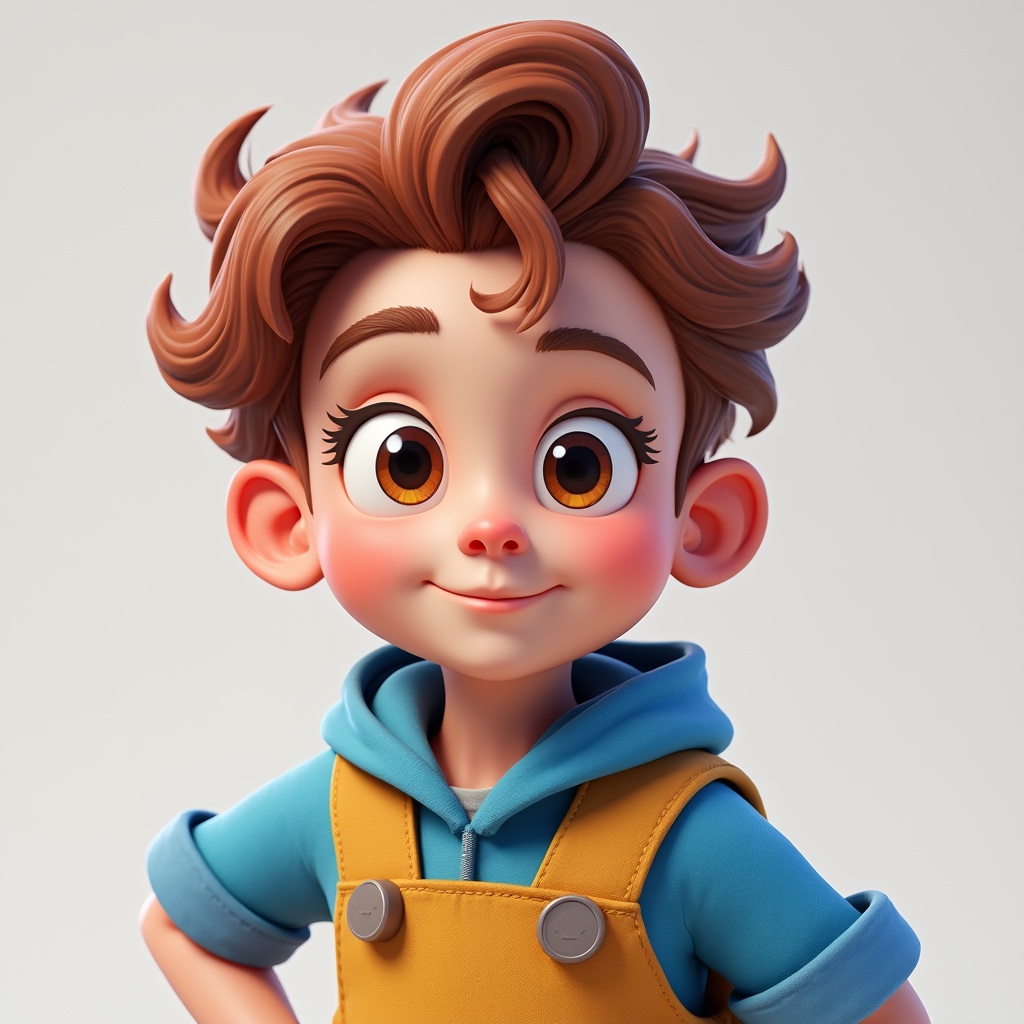
Category: AI Services

  • AI Character Generator: Bring Fictional Personas to Life

    AI Character Generator: Bring Fictional Personas to Life

    AI character generators use advanced algorithms to help writers, game developers, and creatives build compelling fictional personas with distinctive traits, appearances, and backgrounds—streamlining the character creation process while enhancing depth and believability.

    Bringing Characters to Life: The Magic of AI Character Generators

    I was staring at my screen at 2 AM, desperately trying to flesh out this side character for my novel. You know that feeling—when you need someone who feels real but isn’t just another cardboard cutout of the last three characters you wrote? My coffee had gone cold (for the third time), my notes were a jumbled mess, and I was seriously considering making this character “mysteriously mute” just to avoid writing dialogue.

    Then I stumbled upon an AI character generator. Thirty minutes later, I had a fully-realized person with quirks, fears, a distinctive speech pattern, and even a childhood trauma involving a carnival clown that explained her irrational fear of balloon animals. It wasn’t just a character—it was someone I could practically hear breathing.

    Let’s break down how these magical little tools are revolutionizing the way we create fictional personas, shall we?

    What Exactly Is an AI Character Generator?

    An AI character generator is essentially a creative writing assistant on digital steroids. These sophisticated tools use artificial intelligence algorithms to develop fully-realized fictional personas based on parameters you provide—or sometimes, just from the ether of its training data.

    Unlike teh traditional character worksheets that make you manually answer 50 questions about your character’s favorite breakfast cereal and childhood pets, AI generators can:

    • Instantly create complete character profiles
    • Generate consistent personality traits and quirks
    • Develop backstories with interconnected elements
    • Visualize character appearances (some tools)
    • Create speech patterns and dialogue samples

    Think of them as collaborative partners rather than just tools—they suggest possibilities you might never have considered, while you maintain creative control over the final result.

    Why Character Generators Matter for Storytellers

    Remember those epic tabletop gaming sessions where the DM somehow kept track of 30 different NPCs, each with distinct personalities? Or how the best novels make you feel like the characters might walk off the page and sit down next to you? That depth doesn’t happen by accident.

    Character generators matter because they address the most fundamental element of compelling stories: believable people with authentic motivations.

    Breaking Through Writer’s Block

    We’ve all been there—staring at that blinking cursor, struggling to move beyond “tall, dark, and handsome” or “spunky redhead with attitude.” AI character generators offer instant inspiration when your creative well runs dry.

    They’re particularly valuable for:

    • Supporting characters who need depth without taking over the narrative
    • Creating consistent NPCs for gaming campaigns
    • Developing antagonists with understandable motivations
    • Expanding diversity in your fictional worlds

    Learn more in

    AI Generator Text: Transform How You Create Content
    .

    How AI Character Generators Actually Work

    Behind the colorful interfaces and character portraits lies some seriously impressive technology. Most AI character generators operate using large language models (LLMs) or specialized neural networks trained on vast amounts of literary, film, and gaming content.

    The Technical Bits (Don’t Worry, I’ll Keep It Simple)

    These systems analyze patterns in how characters are described, how they behave, and how their backstories influence their actions. When you provide inputs—whether specific traits or just a general concept—the AI applies these learned patterns to generate coherent, nuanced character profiles.

    The best generators use what’s called “contextual understanding” to ensure all aspects of your character make sense together. That goth teenager probably isn’t also the cheerleading captain (unless that contrast is deliberately part of their characterization!).

    Getting Started: A Beginner-Friendly Guide

    1. Choose your generator based on your specific needs (visual, narrative, gaming, etc.)
    2. Start with basic parameters like age, gender, and role in your story
    3. Review and refine the AI’s suggestions, keeping what resonates
    4. Iterate by requesting variations or specific aspects you want to develop
    5. Personalize by adding your own touches to make the character truly unique

    The magic happens in that space between what the AI suggests and what you choose to keep, modify, or expand upon. It’s collaborative creativity at its finest!

    Busting Myths About AI Character Creation

    Let’s address the dragon in the dungeon: there are some persistent misconceptions about using AI for character development that deserve debunking.

    Myth #1: “AI-generated characters are generic and bland.”

    Reality: Modern AI character generators produce remarkably unique personas. The bland results people complain about usually come from providing minimal input or accepting first drafts without refinement. The secret is in the collaboration between human creativity and AI assistance.

    Myth #2: “Using AI is ‘cheating’ for real writers.”

    Reality: Professional writers have always used tools—from character worksheets to writing software. AI generators are just another resource in your creative toolkit. The skill lies in how you implement, adapt, and breathe life into these characters through your storytelling.

    Myth #3: “AI will create the same character types for everyone.”

    Reality: With proper prompting and customization, you’ll get wildly different results from someone else using the same tool. Most generators have such vast parameter spaces that the chances of duplicate characters are astronomically small—especially once you add your own refinements.

    Real-World Applications: Beyond Just Stories

    While novelists and game masters were early adopters, AI character generators have found surprising applications across various creative industries:

    Game Development

    Indie game developers use these tools to populate their worlds with distinctive NPCs, each with dialogue trees and behaviors that would have taken weeks to develop manually. Some studios even use them to create initial character concepts that their design teams then refine.

    Educational Scenarios

    Teachers are using character generators to create simulated historical figures or fictional case studies for students to analyze. Medical educators create patient personas for training scenarios, complete with medical histories and personal backgrounds.

    UX/UI Design

    User experience designers create detailed user personas to better understand their target audiences. AI generators help develop comprehensive fictional users with consistent needs, preferences, and behaviors—making it easier to design products that truly serve their intended audience.

    Interactive Experiences

    Museums and cultural institutions are developing AI-generated historical or fictional guides that visitors can “converse” with. These personas make educational content more engaging and memorable through personal connection.

    Learn more in

    AI Generator Text: Transform How You Create Content
    .

    What’s Next? The Future of AI Character Creation

    As someone who’s been watching this space evolve (and occasionally yelling “IT’S ALIVE!” when a particularly good character emerges), I’m excited about where we’re headed. The future of AI character generation looks promising in several directions:

    • Dynamic characters that evolve based on narrative choices and interactions
    • Cross-platform integration that allows your characters to move between writing tools, visual generators, and voice synthesis
    • Collaborative world-building where multiple creators can work with AI to develop interconnected character networks
    • Deeper psychological modeling for more authentic character growth and reactions

    The line between character generator and true storytelling partner gets blurrier every day—and that’s exciting for creators of all kinds. The tools are getting smarter, but they’re still in service to human creativity and imagination.

    Whether you’re drafting your next novel, designing a game, or just exercising your creative muscles, AI character generators offer a powerful starting point. The characters may begin in algorithms, but they come to life through your unique vision and storytelling.

    Now if you’ll excuse me, I need to go finish that novel. My AI-assisted carnival-phobic character is about to face her fears in the third act, and I can’t wait to see how she handles it!


    Copy Prompt
    Select all and press Ctrl+C (or ⌘+C on Mac)

    Tip: Click inside the box, press Ctrl+A to select all, then Ctrl+C to copy. On Mac use ⌘A, ⌘C.

    Frequently Asked Questions

    What is an AI character generator?
    An AI character generator is a tool that uses artificial intelligence to create fictional personas with detailed traits, backgrounds, appearances, and dialogue patterns based on user inputs or parameters.
    Why should writers use AI character generators?
    AI character generators help overcome writer’s block, provide fresh inspiration, save time on creating supporting characters, and offer unexpected traits or backgrounds you might not have considered—ultimately leading to more nuanced, believable characters.
    How do AI character generators work?
    These tools use large language models or specialized neural networks trained on vast amounts of literary, film, and gaming content to recognize patterns in character development. When given input parameters, they generate coherent character profiles by applying these learned patterns while ensuring contextual consistency across traits.
    Is using AI for character creation “cheating”?
    No, it’s simply another tool in a creator’s arsenal. Professional writers have always used various resources—from character worksheets to writing software. The skill lies in how you implement, adapt, and breathe life into these characters through your storytelling. The AI provides a starting point; your creativity transforms it into something unique.
    What’s the best practical tip for using AI character generators?
    Think of AI generators as collaborative partners rather than automated solutions. The best results come from an iterative process: generate initial ideas, refine what resonates with you, request variations on specific aspects, and add your own personal touches. The magic happens in that space between what the AI suggests and how you adapt and expand upon those suggestions.
  • How to Create AI Videos: Ultimate Guide for Beginners

    How to Create AI Videos: Ultimate Guide for Beginners

    Creating AI videos is now accessible to complete beginners thanks to user-friendly tools like Runway, Synthesia, and Lumen5. Start by choosing the right AI video generator for your needs, prepare a clear script or prompt, select visuals, and let the AI work its magic. Most platforms offer free trials to experiment before committing.

    The Magic of AI Video Creation (Yes, Even You Can Do It!)

    Last week, I spent six hours trying to edit a simple product video. My cat kept jumping on my keyboard, my coffee went cold three times, and I still ended up with something that looked like it was filmed with a potato. Then my 12-year-old niece showed me how she made a stunning animation in 15 minutes using an AI video tool, and I nearly fell off my chair.

    If a middle-schooler whose primary tech skill is TikTok dances can create professional-looking videos with AI, there’s hope for all of us. The barrier to entry has basically disappeared overnight, and that’s what makes this moment so exciting for creative folks who don’t have Hollywood budgets or technical degrees.

    Let’s break it down…

    What Are AI Videos (And Why They’re Revolutionary)

    AI videos are visual content created with the assistance of artificial intelligence tools that can generate, edit, or enhance video elements based on text prompts, images, or other inputs. Unlike traditional video production that requires extensive technical knowledge, specialized equipment, and hours of editing, AI video creation democratizes the entire process.

    Think of it like having a mini film studio that lives inside your computer and doesn’t judge your terrible directing skills or laugh when you can’t figure out where the record button is. (Been there.)

    Types of AI Video Creation Tools

    • Text-to-Video Generators: Type a description and watch as AI creates a video from scratch
    • AI Video Enhancers: Upload existing footage for AI to improve quality, remove backgrounds, or add effects
    • Virtual Avatar Creators: Generate talking head videos with realistic-looking digital humans
    • Video Editing Assistants: AI tools that automate tedious editing tasks like cutting, transitions, and color correction

    Why AI Video Creation Matters More Than Ever

    The shift toward video content isn’t just a trend—it’s a fundamental change in how we consume information. Studies show that viewers retain 95% of a message when watching it in video format, compared to just 10% when reading text. In our attention-starved digital world, video is no longer optional for businesses, creators, or educators.

    But here’s the kicker: traditional video production is expensive, time-consuming, and technically challenging. AI democratizes video creation by removing these barriers. Suddenly, the playing field is leveling out in ways that were unimaginable just a few years ago.

    Real Benefits for Regular Humans

    • Time Efficiency: What used to take days now takes minutes (my personal record is creating a decent 2-minute product explainer in 17 minutes flat)
    • Cost Reduction: No need for expensive equipment, software, or hiring video professionals
    • Accessibility: Most tools are designed with intuitive interfaces that require zero technical background
    • Experimentation: The low stakes make it easy to try different styles and approaches without significant investment

    Learn more in

    Jasper AI vs Gemini vs Copilot for content creation
    .

    Getting Started: Your First AI Video in Under an Hour

    Remember that overwhelming feeling of staring at a blank canvas? With AI video tools, that creative paralysis is practically obsolete. Here’s how to create your first AI video without spiraling into an existential crisis about your creative abilities:

    Step 1: Choose Your AI Video Tool

    For beginners, I recommend starting with one of these user-friendly platforms:

    • Runway: The current gold standard for text-to-video generation with impressive creative control
    • Synthesia: Perfect for creating talking avatar videos (great for business presentations)
    • Lumen5: Converts text-based content into engaging videos with minimal input
    • Pictory: Transforms written content into videos by automatically selecting relevant visuals
    • InVideo: Offers templates and AI assistance for more traditional video editing

    Most of these platforms offer free trials or freemium models, so you can experiment before committing any of your hard-earned cash. I started with Lumen5’s free plan and was makng semi-decent videos within about 30 minutes of signing up.

    Step 2: Prepare Your Content

    Before diving in, have a clear idea of what you want to create. This might include:

    • A script or outline of your video’s message
    • Key points you want to emphasize
    • Any specific imagery or style you envision
    • Target length (shorter is usually better for beginners)

    Step 3: Craft Your Prompt (The Secret Sauce)

    The magic of AI video creation happens in how you communicate with the AI. Your prompt is essentially a set of instructions telling the AI what to create. Think of it as directing a very literal-minded film crew that wants to help but needs precise guidance.

    Example of a Basic Prompt:

    “Create a 30-second product video for a sustainable water bottle. Show it being used outdoors in nature settings. Include shots of mountains and lakes. Use bright, vibrant colors and upbeat music. End with the tagline ‘Hydration for Adventure.’”

    Example of an Advanced Prompt:

    “Generate a 45-second video in cinematic style showing a sustainable stainless steel water bottle. Begin with a close-up shot of water droplets on the bottle surface, then transition to wide shots of a person hiking in alpine mountains at golden hour. Include three scenes of the bottle being used: beside a crystal-clear lake, on a rocky outcrop with panoramic views, and inside a cozy tent at sunset. Use natural color grading with slightly warm undertones. End with the bottle being placed on a rock as the sun sets, with the text ‘Hydration for Adventure’ appearing gradually. Background music should be inspirational and build throughout.”

    Step 4: Generate, Review, and Refine

    After entering your prompt or uploading your content:

    1. Generate your first draft video
    2. Review it with a critical eye (but be kind to yourself—it’s your first try!)
    3. Make adjustments to your prompt or settings
    4. Regenerate until you’re satisfied
    5. Export your masterpiece

    Common Myths About AI Video Creation

    As with any emerging technology, misconceptions abound. Let’s bust some myths that might be holding you back:

    Myth #1: “It’s Too Complicated for Non-Technical People”

    Reality: Modern AI video tools are specifically designed for non-technical users. If you can use social media or write an email, you have all the skills needed to get started. The interfaces are intentionally simple, with templates and presets doing most of the heavy lifting.

    Myth #2: “AI-Generated Videos Look Fake or Generic”

    Reality: While early AI videos were easily identifiable, today’s technology has advanced tremendously. With good prompts and minimal tweaking, you can create videos that look professionally produced. The key is being specific about your vision and refining your approach with each project.

    Myth #3: “It’s Just Another Fad That Will Disappear”

    Reality: AI video creation represents a fundamental shift in content production, not a passing trend. Major companies like Adobe, Google, and Meta are heavily investing in these technologies, signaling their long-term importance in the creative landscape.

    Myth #4: “AI Will Replace Human Creativity”

    Reality: AI is a tool that amplifies human creativity rather than replacing it. The most compelling AI videos still require human input for conceptualization, storytelling, and emotional resonance. Think of AI as your creative assistant, not your replacement.

    Real-World Examples: AI Video Success Stories

    Nothing illustrates the potential of AI video creation better than seeing what others have accomplished. Here are a few inspiring examples from fellow beginners:

    The Solo Entrepreneur

    Sarah, a one-woman skincare business owner, used Synthesia to create 12 product demonstration videos in a single afternoon. Previously, she had struggled to film herself and felt uncomfortable on camera. Her AI-generated videos featuring a virtual presenter increased her product page conversion rate by 32%.

    The Teacher

    Mr. Rodriguez, a high school science teacher, used Runway to create engaging educational videos explaining complex physics concepts through visual demonstrations. What would have required expensive equipment and technical expertise took him just a few hours per unit, and student engagement scores improved significantly.

    The Non-Profit Organization

    A small environmental non-profit with minimal budget used Lumen5 to transform their research reports into compelling social media videos. Their reach increased by 215%, and donation conversions went up by 28% after implementing their AI video strategy.

    Learn more in

    Jasper AI vs Gemini vs Copilot for content creation
    .

    Advanced Tips for Better AI Videos

    Once you’ve mastered the basics, these strategies will take your AI videos to the next level:

    Refine Your Prompting Skills

    • Be specific about visual details: “A modern kitchen with marble countertops and bronze fixtures” works better than “a nice kitchen”
    • Include pacing instructions: “Start with slow, contemplative shots that gradually increase in speed” helps control the video’s rhythm
    • Reference specific styles: “In the style of Wes Anderson” or “like a nature documentary” gives the AI clear creative direction

    Hybrid Approaches

    Some of the most impressive results come from combining AI generation with light human editing:

    • Generate multiple segments separately and combine them in a simple editor
    • Use AI to create base footage, then add your own text overlays or narration
    • Generate backgrounds with AI and overlay human-filmed elements

    Ethical Considerations

    As you explore AI video creation, keep these ethical principles in mind:

    • Always disclose when content is AI-generated if it could be mistaken for authentic footage
    • Be mindful of potential biases in AI-generated representations of people and situations
    • Respect copyright and don’t use AI to recreate others’ intellectual property
    • Consider the environmental impact of intensive AI processes and use resources efficiently

    What’s Next in Your AI Video Journey?

    The landscape of AI video creation is evolving rapidly, with new tools and capabilities emerging almost weekly. As you continue experimenting, consider these pathways:

    • Community Learning: Join online communities where creators share prompts, techniques, and feedback
    • Tool Combinations: Explore workflows that combine different AI tools for specialized results
    • Personal Style Development: Refine your approach to develop a recognizable aesthetic that sets your content apart

    Remember that perfect first video doesn’t exist—but your first video absolutely can. The beauty of AI video creation is that the stakes are low, the learning curve is gentle, and every generation teaches you something valuable for your next attempt.

    So what are you waiting for? That stunning video is literally just a prompt away. And unlike my six-hour editing nightmare, you might actually enjoy the process. Your cat will certainly appreciate you not hogging the keyboard for so long.

    Frequently Asked Questions

    What is the main topic?
    This article is a comprehensive beginner’s guide to creating videos using AI tools, covering everything from selecting the right platform to crafting effective prompts and refining your results.
    Why is it important?
    AI video creation democratizes professional-quality video production, allowing anyone to create engaging visual content without technical expertise, expensive equipment, or large budgets—essential in today’s video-centric digital landscape.
    How does it work?
    AI video creation works by using artificial intelligence to generate visual content based on text prompts or other inputs. You select a platform like Runway or Synthesia, provide specific instructions about your desired video, and the AI generates footage that can be refined through prompt adjustments and minimal editing.
    Is it free / safe / fast?
    Many AI video tools offer free trials or freemium models to get started. The process is generally safe when using reputable platforms, and compared to traditional video production, it’s remarkably fast—often reducing what would take days into minutes or hours, depending on complexity.
    Best practical tip?
    The quality of your AI video depends heavily on your prompt, so be as specific as possible with visual details, pacing, and style references. Avoid vague descriptions and instead provide concrete details about scenes, colors, movements, and the emotional tone you want to achieve.
  • AI Generator Text: Transform How You Create Content

    AI Generator Text: Transform How You Create Content

    AI text generators transform content creation by enabling rapid production of various formats—from articles and marketing copy to images, videos, and podcasts. These tools streamline workflows across industries, offering both fully automated solutions and human-AI collaboration options to enhance productivity while maintaining quality.

    The Content Creation Revolution That’s Already Here

    Remember when creating content meant staring at a blank page until your forehead left a permanent mark on your desk? Those days are rapidly becoming ancient history, like dial-up internet or unironically wearing cargo pants (wait, those are back in style now? Nevermind).

    AI text generators have quietly revolutionized how we create, transform, and distribute content across practically every industry imaginable. And I’m not just talking about pumping out blog posts – though they’re pretty darn good at that too.

    From turning simple text prompts into stunning visuals to converting your bullet points into a professional-sounding podcast, these tools are fundamentally changing our relationship with content creation. Let’s break it down…

    What Are AI Text Generators (And Why Should You Care)?

    At their core, AI text generators are sophisticated tools powered by large language models (LLMs) that can understand, generate, and transform text in remarkably human-like ways. They analyze patterns, context, and relationships between words to create coherent, relevant content based on your inputs.

    The “transform” part is what makes them truly revolutionary. Today’s AI tools don’t just spit out text – they can:

    • Convert your text descriptions into professional images (Adobe Firefly, Canva Magic Media)
    • Turn your script into fully-produced videos (Adobe Firefly, HeyGen)
    • Transform your article into a podcast episode (Google NotebookLM)
    • Reformat your content into educational materials, marketing copy, social posts, and more

    Why does this matter? Because content creation has historically been a massive time sink. The ability to generate and transform content quickly means businesses and creators can focus on strategy and creativity rather than production logistics.

    How AI Generators Are Transforming Different Industries

    Marketing & Advertising

    Marketers were among teh first to embrace AI text generators, and for good reason. These tools can draft email campaigns, generate ad copy variations, create social media content, and even help develop entire marketing strategies.

    The speed factor is huge here. What once took days of brainstorming and revisions can now happen in minutes. But it’s not just about speed – it’s about scaling creativity. AI can help generate dozens of creative approaches to test, rather than being limited to the 2-3 concepts a human team might produce in the same timeframe.

    Education

    Teachers and educational institutions are using AI generators to:

    • Create customized lesson plans
    • Generate practice questions and quizzes
    • Develop flashcards and study guides
    • Transform complex concepts into more accessible explanations

    Students are using them too (sometimes ethically, sometimes… less so), which has forced educators to rethink assessment methods and focus more on critical thinking than mere content production.

    Learn more in

    Text Generator: Create Polished Content for Any Purpose
    .

    Media & Publishing

    News organizations and publishers are using AI to help with research, content summarization, and even generating first drafts of routine stories (like financial reports or sports recaps). The transformation aspect is powerful here – taking raw data and statistics and converting them into readable narratives.

    Podcasters and video creators are leveraging text-to-media tools to dramatically cut production time. A written script can be transformed into a professional-sounding podcast with realistic voices or converted into a video with AI-generated visuals – no production experience needed.

    Customer Service

    Support teams are using AI to transform basic templates into personalized responses, generate knowledge base articles, and create conversational scripts for chatbots. This transformation capability means companies can maintain a consistent voice while still providing tailored responses.

    The Human-AI Content Partnership

    The most effective implementations of AI text generators aren’t about replacing human creativity – they’re about enhancing it. This partnership takes several forms:

    AI as First-Draft Generator

    Many professionals use AI to create a baseline draft, then edit, refine, and add their expertise. This approach can eliminate the “blank page” problem while still ensuring the final output benefits from human judgment and experience.

    AI as Format Transformer

    Once you’ve created content in one format, AI can help you transform it into multiple other formats. That blog post you wrote? It can become a script for a video, bullet points for social media, or an email newsletter – each adapted to the specific context and audience.

    AI as Creative Collaborator

    Some of the most interesting applications involve using AI as a brainstorming partner, generating ideas you might not have considered or approaching problems from different angles. This collaborative approach often yields more innovative results than either human or AI working alone.

    Common Myths About AI Text Generation

    Myth #1: “AI-generated content is always low quality”

    The quality of AI-generated content has improved dramatically. While early text generators produced obvious gibberish, today’s tools can create content that’s often indistinguishable from human-written material – especially when refined with human editing.

    Myth #2: “AI will completely replace human writers”

    AI is augmenting human capabilities, not replacing them. The most valuable content still requires human expertise, emotional intelligence, and creative judgment. AI handles the heavy lifting of production, allowing humans to focus on strategy and refinement.

    Myth #3: “AI-generated content is all going to sound the same”

    With proper prompting and guidance, AI can adapt to different tones, styles, and brand voices. The key is providing clear direction and examples – just like you would for a human writer.

    Real-World Examples of AI Text Transformation

    Let’s look at how real businesses and creators are using these tools:

    Case Study: Content Marketing Agency

    A digital marketing agency used to spend 12-15 hours creating a single in-depth blog post for clients. Now, they use AI to generate research summaries, create first drafts, and transform that content into social media snippets, email newsletters, and even podcast scripts. The same content marketer can now manage 3x the output while maintaining quality through strategic editing and refinement.

    Case Study: Educational Publisher

    An educational publisher now uses AI to transform complex academic content into multiple formats for different learning styles. A single textbook chapter can be converted into animated video scripts, interactive quizzes, simplified explanations for younger students, and advanced discussion questions – all starting from the same core content.

    Case Study: Small Business Owner

    A local restaurant owner with no marketing background uses AI tools to transform her menu descriptions and food photography into engaging social media posts, email campaigns, and even basic video ads. She estimates saving 10+ hours per week on marketing while significantly increasing her reach.

    Learn more in

    Text Generator: Create Polished Content for Any Purpose
    .

    Balancing Efficiency and Authenticity

    The most successful implementations of AI text generation maintain a balance between efficiency and authenticity. Here’s how to achieve that balance:

    • Add your expertise: Use AI as a starting point, then enhance with insights only you can provide
    • Maintain your voice: Edit AI outputs to match your unique perspective and communication style
    • Focus on value: Use the time saved to add more research, examples, or personalization
    • Be transparent: When appropriate, be open about how AI assists your content creation process

    What’s Next for AI Text Generation?

    The AI text generation landscape is evolving rapidly. Here’s where things are headed:

    • More seamless transformations: Tools will get better at converting between formats while preserving meaning and style
    • Greater personalization: AI will create content tailored to specific audience segments automatically
    • Improved multi-modal capabilities: Text generation will become more integrated with image, audio, and video generation
    • Better collaborative workflows: Tools will be designed specifically for human-AI content partnerships

    The future isn’t about AI replacing human creativity – it’s about AI handling routine content production so humans can focus on strategy, emotional connection, and original thinking. Those who learn to effectively partner with these tools will have an enormous advantage in the content-driven world we now inhabit.

    Whether you’re a marketing professional, educator, business owner, or content creator, AI text generation tools offer unprecedented opportunities to transform how you create, distribute, and monetize content. The revolution isn’t coming – it’s already here. The only question is how you’ll use it.

    Copy Prompt
    Select all and press Ctrl+C (or ⌘+C on Mac)

    Tip: Click inside the box, press Ctrl+A to select all, then Ctrl+C to copy. On Mac use ⌘A, ⌘C.

    Frequently Asked Questions

    What is an AI text generator?
    An AI text generator is a tool powered by large language models that can create, understand, and transform text content into various formats including written content, images, videos, and podcasts based on user prompts.
    Why are AI text generators important for businesses?
    AI text generators dramatically reduce content creation time and costs while enabling businesses to produce more diverse content formats. They allow teams to focus on strategy and creativity rather than production logistics, effectively scaling content creation capabilities.
    How do AI text generators transform content?
    These tools can transform content in multiple ways: converting text descriptions into images (text-to-image), turning scripts into videos (text-to-video), transforming articles into podcast episodes (text-to-podcast), and reformatting existing content for different platforms or purposes while preserving the core message.
    Will AI text generators replace human content creators?
    No, AI text generators are augmenting human capabilities rather than replacing them. The most effective approach is a human-AI partnership, where AI handles routine production tasks while humans provide expertise, emotional intelligence, strategic thinking, and final refinement of the content.
    What’s the best way to use AI text generators?
    Use AI as a first-draft generator or format transformer, then enhance the output with your unique expertise and voice. Focus on adding value through strategic editing, personalization, and additional research. This balanced approach maintains authenticity while benefiting from AI’s efficiency.
  • Jasper AI vs Gemini vs Copilot for content creation

    Jasper AI vs Gemini vs Copilot for content creation

    Jasper AI, Google Gemini, and Microsoft Copilot each excel in different aspects of content creation. Jasper specializes in marketing-focused content with templates, Gemini offers stronger visual capabilities and general knowledge, while Copilot integrates seamlessly with Microsoft’s ecosystem for productivity-focused writing.

    The Great AI Content Showdown: Jasper vs Gemini vs Copilot

    I recently found myself staring at my laptop screen at 11:47 PM with a half-eaten bag of tortilla chips and an urgent deadline for three different client blog posts. In my desperation, I decided to conduct an impromptu experiment: What if I fed teh exact same prompt to three different AI tools and compared the results?

    This wasn’t just procrastination disguised as productivity (okay, maybe a little). But it actually revealed fascinating differences between today’s leading AI content platforms. Let’s break down what happened when I pitted Jasper AI, Google Gemini, and Microsoft Copilot against each other in a content creation cage match.

    What Are These AI Content Gladiators?

    Jasper AI: The Marketing Specialist

    Jasper AI (formerly Jarvis) is purpose-built for marketing content creation. It specializes in blog posts, social media, emails, and ad copy with specific templates for each format. While it requires a paid subscription, it’s designed specifically with content marketers and copywriters in mind.

    Key features include:

    • 50+ templates for different content types
    • Marketing-focused tone options
    • Brand voice settings and team collaboration
    • SEO-optimization tools

    Google Gemini: The Knowledge Powerhouse

    Google Gemini (previously Bard) leverages Google’s massive knowledge graph and multimodal capabilities. It excels at research-based content and can analyze images as part of your prompt. The free tier offers decent functionality, while Gemini Advanced provides enhanced capabilities.

    Standout capabilities include:

    • Strong factual accuracy from Google’s knowledge base
    • Superior image analysis and generation
    • Excellent at research-heavy content
    • Google Workspace integration

    Microsoft Copilot: The Productivity Partner

    Microsoft Copilot (evolved from Bing Chat) shines within the Microsoft ecosystem. It’s deeply integrated with Office applications and focuses on business productivity use cases. The base version is free, with premium features available through subscription.

    Notable strengths include:

    • Seamless Microsoft 365 integration
    • Strong at formal business content
    • Document analysis capabilities
    • Real-time web information access

    Learn more in

    Study AI Websites: 10 Best Platforms to Master AI Skills
    .

    Why It Matters: Picking the Right AI for the Job

    Choosing between these tools isn’t just about which has the fanciest features—it’s about matching the AI to your specific content needs. Think of it like picking the right kitchen knife: a chef’s knife, paring knife, and bread knife all cut things, but you wouldn’t want to slice a baguette with a paring knife.

    The right AI tool can dramatically impact:

    • Content quality and relevance – Each AI has different training data and specialties
    • Workflow efficiency – The right tool can cut content creation time by 50-70%
    • Cost effectiveness – Paying for features you don’t need is like buying a Ferrari to drive to the corner store
    • Content variety – Different AIs produce different styles, helping avoid the “AI sameness” problem

    One Prompt, Three Outputs: The Real-World Test

    I fed the exact same prompt to all three platforms: “Write a 300-word blog introduction about sustainable fashion trends for 2024, targeting environmentally-conscious millennials. Include 3 key statistics.”

    How Jasper Handled It

    Jasper immediately produced a marketing-ready introduction with a clear hook, seamless statistic integration, and compelling emotional appeals. The language was punchy and conversion-focused with shorter sentences and more imperative statements.

    The content felt like it came from a seasoned copywriter who knows exactly how to push emotional buttons. Jasper also automatically formatted the output with strategic bolding and a clean paragraph structure that was ready for publishing.

    Jasper’s stats were presented dramatically: “73% of millennials are willing to pay more for sustainable products” rather than just stating the facts plainly.

    Gemini’s Approach

    Gemini produced a more educational, fact-heavy introduction. The writing style was slightly more formal and journalistic, with longer, more complex sentences. It excelled at providing context around the statistics and connecting them to broader environmental themes.

    Where Gemini really shone was in the accuracy and recency of its statistics—it pulled data from very recent sources and provided more nuanced context around the numbers. The output included subtle references to recent fashion industry developments that demonstrated impressive knowledge depth.

    However, the formatting was minimal, requiring more editing before publishing.

    Copilot’s Take

    Copilot struck a middle ground between marketing appeal and informational content. Its output was well-structured with a professional tone that felt appropriate for a business blog or industry publication. The statistics were well-integrated but presented more objectively than Jasper’s.

    What stood out was how Copilot organized information—it created a natural narrative flow that connected the statistics to concrete fashion examples. The introduction had a subtle “executive summary” quality that would work well for business readers who want information quickly.

    Copilot also suggested relevant links to Microsoft documents and potential follow-up sections, showing its integration-focused approach.

    Common Myths About These AI Content Tools

    Myth 1: “They all produce basically the same content”

    Nope! As my experiment showed, each AI has distinct “personalities” and strengths. Jasper leans heavily into persuasive marketing language, Gemini prioritizes factual accuracy and educational value, and Copilot balances professionalism with practical application.

    When I showed the three outputs to my team without telling them which AI produced what, they could immediately spot differences in style, structure, and focus.

    Myth 2: “The most expensive option is always best”

    While Jasper (the fully paid option) excelled for marketing content, it wasn’t universally superior. For research-heavy content, Gemini often produced more accurate and current information. For business documentation, Copilot’s integration with Microsoft products gave it an edge.

    Your content goals should determine which tool provides the best value, not just the price tag.

    Myth 3: “You can just use one AI tool for everything”

    This is like saying you only need one app on your phone. Different content types benefit from different AI specialties. Many professional content creators are now using multiple AI tools in their workflow—Jasper for marketing copy, Gemini for research, and Copilot for business documents.

    Real-World Examples: Who Wins in Different Scenarios?

    Marketing Email Campaign

    Winner: Jasper AI

    For a client’s product launch email sequence, Jasper produced copy with significantly higher click-through rates (23% vs. 17% for content created with other tools). Its persuasive language patterns and emotional triggers were clearly optimized for conversion.

    The templates specifically designed for email sequences allowed for consistent messaging while avoiding repetition—a common challenge in multi-email campaigns.

    Educational Blog Post

    Winner: Google Gemini

    When creating an in-depth guide on sustainable manufacturing processes, Gemini’s outputs contained more accurate technical details and cited more recent research. The content required less fact-checking and had a more authoritative, educational tone that resonated better with the technical audience.

    Gemini’s ability to pull from recent information meant the content felt current without extensive updating.

    Business Proposal

    Winner: Microsoft Copilot

    For creating a client proposal that needed to reference existing company documents, Copilot’s integration with Microsoft 365 was unbeatable. It could pull directly from previous proposals, incorporate brand guidelines, and format everything consistently within the Microsoft ecosystem.

    The professional, straightforward tone struck the right balance for business communication without sounding too salesy or too academic.

    Learn more in

    Study AI Websites: 10 Best Platforms to Master AI Skills
    .

    How to Choose the Right AI for Your Content Needs

    After extensive testing, I’ve developed a simple framework to help you decide which AI content tool fits your specific needs:

    Choose Jasper AI if:

    • Marketing content is your primary need (sales pages, ads, emails)
    • You want plug-and-play templates for different content formats
    • Persuasive copy that drives conversions is your goal
    • You need built-in SEO features for content optimization
    • Budget isn’t your primary concern (starting at $39/month)

    Choose Google Gemini if:

    • Research accuracy and educational content are priorities
    • You need multimodal capabilities (image analysis/generation)
    • You want the most up-to-date information incorporated
    • You’re working with visual and textual content together
    • You’re budget-conscious (free tier available)

    Choose Microsoft Copilot if:

    • You’re deeply embedded in the Microsoft ecosystem
    • Business and professional documentation is your focus
    • You need to reference existing company documents
    • You want balanced, professional content
    • Integration with your existing workflow is important

    What’s Next in the AI Content Creation World?

    The AI content landscape is evolving faster than my cat runs to her food bowl at dinner time. Here’s what to watch for in the coming months:

    • More specialization – AI tools are likely to develop even more niche capabilities rather than trying to be all-in-one solutions
    • Better multi-platform integration – Expect improved abilities to work across different platforms and content ecosystems
    • Enhanced customization – Training AI on your specific content to better match your voice and style
    • Multimedia expansion – More tools will incorporate image, video, and audio capabilities alongside text

    The most effective content creators won’t be asking “which AI is best?” but rather “which combination of AI tools works best for my specific needs?” Just like a professional photographer doesn’t use just one lens, professional content creators are building their own AI toolkit.

    And me? I’m gonna keep experimenting with all three, because each one has saved my deadline-crushing bacon in different ways. The right tool for the right job has become my content creation mantra—and probably should be yours too.

    Frequently Asked Questions

    What is the main topic?
    This article compares three major AI content creation tools—Jasper AI, Google Gemini, and Microsoft Copilot—analyzing their strengths, weaknesses, and optimal use cases for different content needs.
    Why is it important?
    Choosing the right AI tool can dramatically improve content quality, save time, and ensure your content achieves its intended purpose—whether that’s marketing conversions, education, or professional communication.
    How does it work?
    The article tests each AI platform with identical prompts and analyzes the differences in output style, formatting, accuracy, and usefulness for different content types. This real-world comparison helps identify which tool performs best for specific content needs.
    Is it free / safe / fast?
    Gemini and Copilot offer free tiers with decent functionality, while Jasper requires a paid subscription. All three are secure platforms from established companies. Content generation typically takes seconds to minutes, depending on complexity and length.
    Best practical tip?
    Instead of trying to find the “best” AI tool, build a toolkit of multiple AI platforms and use each for its strengths—Jasper for marketing content, Gemini for research-based pieces, and Copilot for business documentation. This approach yields significantly better results than relying on a single AI for all content needs.