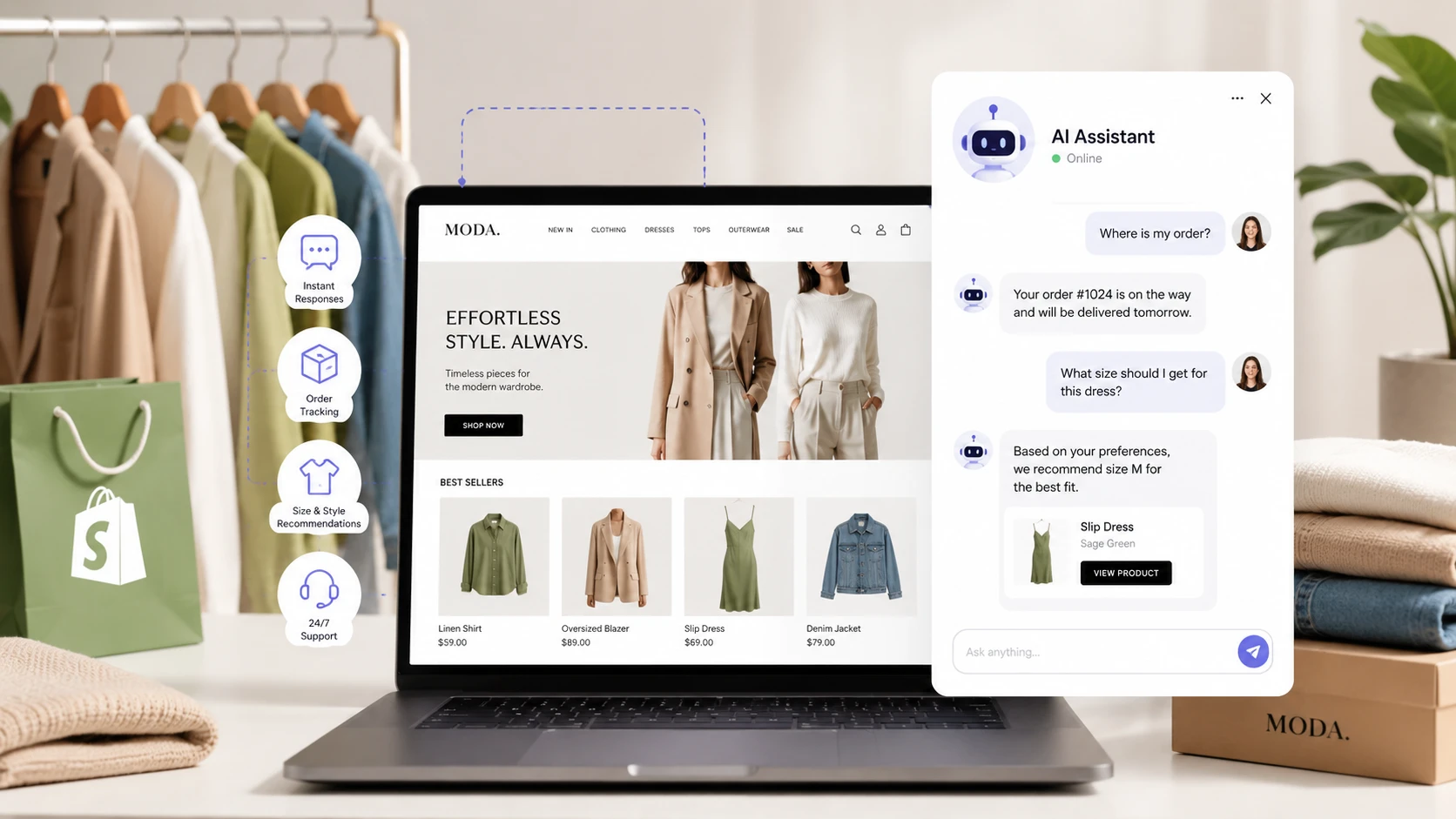
Tag: Shopify automation

  • One Click Upsell Shopify: How It Works and When to Use It

    One Click Upsell Shopify: How It Works and When to Use It

    Quick Answer: A one click upsell Shopify app lets you show customers a relevant extra offer after their original purchase and, when the payment method and app support it, add that offer without asking them to enter their payment details again. On Shopify, a true post-purchase offer appears after the customer completes checkout but before the Thank you page.

    So you’ve just gotten someone to buy from your store. Great. They found the product, made the decision, and actually completed checkout.

    At that point, the hardest part of the sale is already done.

    That is exactly why post-purchase upsells are interesting. Instead of interrupting someone while they are still deciding whether to buy, you show a relevant add-on after the original order is already confirmed.

    The idea is simple: “You already bought this. Want to add this useful extra too?”

    No new product search. No rebuilding the cart. And for eligible post-purchase offers, no typing payment details all over again.

    But Shopify’s checkout system has changed a lot, and some old advice about one-click upsell apps is now outdated. So let’s look at how these offers actually work today, where they can appear, which apps are worth considering, and what technical details you should check before installing anything.

    What Exactly Is a One Click Upsell Shopify App?

    A one click upsell Shopify app is a tool that presents an additional product offer around the checkout or post-purchase journey.

    The most important version is the post-purchase offer.

    The customer completes the original checkout first. Shopify can then show a separate post-purchase page before the Thank you page. If the customer accepts the offer and the payment method supports the flow, the additional item can be added without making the customer go through a normal checkout again.

    That distinction matters because not every upsell is technically a “one-click post-purchase upsell.”

    Where Shopify Upsell Offers Can Appear

    Depending on the app and your Shopify plan, upsell offers can appear at several points:

    • Product page: An accessory, bundle, upgrade, or related product before the customer adds the main item to the cart.
    • Cart or cart drawer: A complementary product before checkout begins.
    • During checkout: An offer shown inside eligible checkout extension locations. Some checkout customizations are limited to Shopify Plus.
    • Post-purchase: An offer shown after the original checkout is completed but before the Thank you page.
    • Thank you or order status page: A recommendation shown after the main post-purchase flow.

    The post-purchase stage is the part most people mean when they search for a post purchase upsell Shopify solution.

    The customer has already committed to the original order, so the extra offer becomes a smaller decision instead of another full purchase journey.

    Why Post-Purchase Upsells Can Improve Average Order Value

    Getting a customer to the checkout can be expensive.

    You may have paid for ads, content, email marketing, SEO, creators, or all of them together. Once that customer completes an order, you have already paid most of the acquisition cost.

    A relevant post-purchase offer gives you a chance to increase revenue from the same order without paying to acquire the customer again.

    The Simple Math Behind an Upsell

    Suppose your store receives 500 completed orders in a month.

    If 8% of those customers accept a $15 post-purchase offer:

    • 500 orders × 8% = 40 accepted offers.
    • 40 × $15 = $600 in additional revenue.

    That does not mean every store will get an 8% acceptance rate. The actual result depends on the product, price, audience, offer timing, payment eligibility, and how well the upsell matches the original purchase.

    But it shows why merchants care about this feature. Even a relatively small acceptance rate can change average order value when order volume grows.

    If you are building a wider conversion system rather than relying on one app, it also makes sense to connect upsell data with your store automation and customer workflows.

    How Shopify Post-Purchase Upsells Work Today

    This is where older tutorials can create confusion.

    Modern Shopify post-purchase offers are designed around Shopify’s checkout extension system. The app does not need to send the customer through a completely separate checkout just to show a post-purchase offer.

    A typical flow looks like this:

    1. The customer completes the original Shopify checkout.
    2. Shopify determines whether the post-purchase experience can be shown for that order.
    3. If eligible, the post-purchase page appears before the Thank you page.
    4. The customer sees the additional product offer.
    5. If they accept, the app requests the additional item to be added to the original order.
    6. The customer continues to the final Thank you or order confirmation experience.

    The important part is that the original purchase is already complete before the post-purchase offer appears.

    If the customer declines the offer or closes the page, the original sale is still there.

    What “One Click” Really Means

    “One click” does not mean every customer can always be charged again with any payment method.

    It means the customer can accept an eligible post-purchase offer without completing a second traditional checkout.

    Payment support still matters.

    Some payment methods can support the post-purchase charge, while others may not be eligible for that flow. This is why you should check the current payment compatibility of the app you choose instead of assuming that every checkout will display the offer.

    Post-Purchase Is Not the Same as In-Checkout Upselling

    This is another important Shopify distinction.

    An in-checkout upsell appears while the customer is still on information, shipping, or payment steps.

    A post-purchase upsell appears after the initial checkout has been completed.

    Those are different extension locations with different rules.

    For many merchants, the post-purchase stage is attractive because it does not interrupt the original purchase decision. The customer pays first, then sees the extra offer.

    The Main Players: Which One Click Upsell Shopify Apps Should You Consider?

    There are a lot of Shopify upsell apps, and feature lists change constantly. Instead of choosing based on the longest feature table, start with the type of funnel you actually need.

    Here are some of the names merchants commonly compare.

    Zipify One Click Upsell (OCU)

    Zipify OCU is one of the established options in this category.

    One important clarification: modern OCU works with Shopify Checkout. Its post-purchase offers appear after Shopify checkout and before the final order confirmation experience.

    That means the old idea that OCU simply “replaces Shopify checkout” is not an accurate way to describe the current setup.

    Why merchants consider it:

    • Pre-purchase and post-purchase funnel options.
    • Post-purchase upsells without asking the customer to enter payment information again when the order is eligible.
    • Multiple offer steps, including additional upsell or downsell paths.
    • Trigger conditions for deciding which customers see specific offers.
    • Integration with Shopify’s order flow instead of creating a completely separate checkout journey.

    There are still limitations to test.

    Post-purchase payment compatibility is not identical to normal Shopify checkout payment compatibility, and some subscription or bundle scenarios have additional restrictions.

    So the right way to evaluate OCU is not “does it replace checkout?”

    The better question is:

    Does its current post-purchase flow support my payment methods, products, subscriptions, bundles, tracking setup, and existing Shopify apps?

    AfterSell

    AfterSell is another popular option when the main goal is increasing order value with post-purchase funnels and related checkout offers.

    It is worth comparing if you want a focused upsell system and prefer to build offers around customer and order conditions.

    As with any Shopify upsell app, check the current feature set for your plan before committing. Checkout features, post-purchase eligibility, and integrations can change as Shopify updates its checkout platform.

    Candy Rack

    Candy Rack is often considered by stores that want upsell opportunities across more than one touchpoint.

    That can be useful if you want product-page, cart, or checkout-related offers instead of building your entire strategy around the post-purchase page alone.

    The tradeoff with broader tools is that you still need to decide which touchpoints actually help your store. More offers do not automatically mean more revenue.

    Frequently Bought Together and Bundle-Style Apps

    A “frequently bought together” app solves a slightly different problem.

    Instead of waiting until after checkout, it encourages the customer to add related products while they are still shopping.

    For some stores, that is exactly what makes sense.

    For example:

    • Camera + memory card.
    • Dress + matching belt.
    • Coffee machine + filters.
    • Skincare product + refill.

    You can use bundle or recommendation logic before checkout and still use a post-purchase offer later, but do not stack apps blindly. Every extra script, discount rule, checkout extension, or order-editing feature can create compatibility questions.

    The Technical Stuff Shopify Merchants Should Check Before Installing an Upsell App

    This is the part that gets skipped in a lot of “best upsell app” lists.

    Installing an app can take five minutes.

    Discovering that it conflicts with your payment method, subscription setup, bundle logic, or tracking after customers start ordering is much more painful.

    1. Only Use One Primary Post-Purchase Flow

    Shopify merchants select the post-purchase app that handles the active post-purchase experience.

    So if you are testing multiple upsell apps, do not assume they can all control the same post-purchase slot at the same time.

    You can still use other tools at product-page or cart level, but the true post-purchase flow needs a clear owner.

    2. Check Payment Method Compatibility

    A normal Shopify checkout can accept a wide range of payment methods.

    A post-purchase upsell has an extra requirement: the payment method must support the additional post-purchase transaction.

    That means some customers may complete the original purchase successfully but never see the post-purchase offer.

    Before choosing an app, check how it handles:

    • Shopify Payments.
    • Credit card processors.
    • Shop Pay.
    • PayPal.
    • Alternative payment methods.
    • Gift cards.
    • Multi-currency orders.

    Do not measure an app only by “upsell conversion rate.” Also measure what percentage of completed orders are actually eligible to see the offer.

    3. Test Subscriptions and Bundles Separately

    Subscriptions and bundles can behave differently from normal one-time products.

    If your store uses Recharge, Loop, Appstle, Skio, native Shopify Bundles, or another subscription/bundle system, check compatibility before building the funnel.

    An app may support a normal product as a post-purchase upsell while having restrictions around:

    • Adding a new subscription.
    • Changing an existing subscription.
    • Offering a bundle after checkout.
    • Editing an order that already contains a subscription.

    This is exactly the kind of issue that should be tested with real store conditions rather than assumed from a marketing page.

    4. Understand Shopify Plus Checkout Differences

    Not every checkout customization is available on every Shopify plan.

    In-checkout UI extensions that appear on information, shipping, or payment steps have Shopify Plus requirements in many cases.

    Post-purchase offers are a separate part of the checkout journey, so do not assume that “checkout upsell” and “post-purchase upsell” have identical plan requirements.

    If your strategy depends on showing an offer before payment inside checkout, verify the plan requirement first.

    5. Test Order Editing and Fulfillment

    A post-purchase offer can modify the customer’s original order after the initial payment.

    That affects more than the front-end page.

    Your test order should confirm that:

    • The accepted item appears correctly in Shopify.
    • The additional transaction is recorded correctly.
    • Inventory changes as expected.
    • Fulfillment does not start before the post-purchase flow is finished.
    • Third-party fulfillment systems receive the correct final order.
    • Order confirmation emails make sense to the customer.

    This is especially important if you automatically send orders to a warehouse, dropshipping supplier, ERP, or fulfillment app.

    If you need custom logic between Shopify and those systems, that is where custom software development can become more useful than installing another disconnected app.

    6. Check Analytics Before You Launch

    You need to know more than whether the store made extra money.

    Your tracking should answer:

    • How many customers saw the upsell?
    • How many accepted it?
    • How much revenue came from each offer?
    • Did the upsell increase average order value?
    • Did certain devices or payment methods perform differently?
    • Did refunds or cancellations increase?

    Shopify’s checkout and customer-event tracking has changed over time, so do not assume an old tracking tutorial still applies.

    Run test orders and confirm that the initial purchase and the post-purchase revenue appear correctly in the analytics tools you actually use.

    How to Build a Post-Purchase Upsell That Customers Actually Want

    The technology only gives you the opportunity.

    The offer itself still has to make sense.

    Choose a Complementary Product, Not a Competing Product

    Do not make the customer question the purchase they just made.

    If someone buys a $90 backpack and your first post-purchase offer is a different $95 backpack, you are creating doubt.

    A better offer improves the original purchase.

    For example:

    • Bought a camera? Offer a memory card or cleaning kit.
    • Bought a dress? Offer a matching accessory.
    • Bought a coffee machine? Offer filters or coffee.
    • Bought supplements? Offer a shaker bottle or related product.

    The customer should understand the relationship immediately.

    Keep the Decision Simple

    The customer has already completed checkout.

    Do not turn the post-purchase page into another 20-minute sales page.

    A strong offer usually needs:

    • One clear product.
    • One obvious benefit.
    • A transparent price.
    • A clear accept button.
    • An equally clear way to decline and continue.

    Shopify’s own post-purchase UX guidance emphasizes transparent costs, relevant products, and clear accept-or-decline choices. The goal is to increase order value without damaging trust.

    Start with One Offer Before Building a Complicated Funnel

    Some apps support multiple consecutive offers.

    That does not mean you should start there.

    Begin with one strong offer and measure it.

    Once you know customers actually want it, you can test a second upsell, a downsell, or a different customer segment.

    A simple funnel with good product relevance will usually teach you more than a complicated funnel with five variables changing at once.

    How to Set Up a One Click Upsell Shopify Strategy

    Installing an app is the easy part.

    The actual strategy starts with choosing the right product pair and testing the full order flow from a customer’s point of view.

    Step 1: Start with a Product That Already Sells

    Do not begin with a product that has almost no order history.

    Pick a product that already has consistent sales and a clear reason for customers to buy something else with it.

    Good candidates usually have:

    • Consistent order volume.
    • Natural accessories or add-ons.
    • Enough margin to support a discount if needed.
    • A clear customer use case.
    • Simple fulfillment.

    Starting with an established product gives you enough data to judge whether the upsell is helping.

    Step 2: Choose a Relevant Offer

    The upsell should make the original purchase better.

    Ask yourself:

    • Does this product naturally complement the original item?
    • Can the customer understand the value in a few seconds?
    • Is the price easy to accept after the first order?
    • Will the product create extra shipping or fulfillment problems?
    • Does the offer feel helpful rather than random?

    If you have to write three paragraphs to explain why the customer needs the upsell, it is probably not the right product.

    Step 3: Keep the Copy Short

    A post-purchase page is not the place for a long landing page.

    The customer has already completed the main purchase.

    A good upsell usually needs:

    • A clear product name.
    • One strong benefit.
    • A product image.
    • A simple price or discount.
    • A clear accept button.
    • A clear decline option.

    The customer should be able to make the decision quickly without wondering what happens if they click the button.

    Step 4: Test the Full Checkout Flow

    Before you send real traffic, place test orders.

    Check the entire journey:

    • Product page.
    • Cart.
    • Checkout.
    • Post-purchase offer.
    • Accept action.
    • Decline action.
    • Thank you page.
    • Shopify order record.
    • Email notifications.
    • Inventory.
    • Fulfillment.
    • Analytics.

    Do this on mobile too.

    A funnel that looks perfect on desktop can still feel awkward on a phone, and Shopify stores often get a large share of their checkout traffic from mobile devices.

    Common Mistakes with One Click Upsell Shopify Apps

    One-click upsells can work extremely well, but they can also create a bad customer experience if the offer is poorly chosen.

    Mistake 1: Offering Something Unrelated

    Relevance matters more than the size of the discount.

    If someone buys running shoes and the upsell is a random kitchen gadget, the offer feels like an advertisement.

    If the upsell is running socks, a shoe-care kit, or a reflective running accessory, it feels connected to the purchase.

    That difference matters.

    Mistake 2: Making the Upsell Too Expensive

    There is no universal percentage that works for every store.

    You may hear rules like “keep the upsell at 30% to 50% of the original order value,” but treat that as a testing idea, not a law.

    A lower-priced accessory can outperform a bigger offer because the customer does not need to rethink the entire purchase.

    Test different price points and judge them by profit, not just acceptance rate.

    Mistake 3: Showing Too Many Offers

    Some apps let you build long funnels with multiple upsells and downsells.

    That can be useful, but more steps also create more opportunities for friction.

    Start with one offer.

    If it performs well, test a second step later.

    Do not make customers fight their way through five sales screens just to reach their order confirmation.

    Mistake 4: Ignoring Payment Eligibility

    This one is easy to miss.

    Your original checkout may support a payment method that the post-purchase offer cannot reuse for an additional charge.

    If a large percentage of your customers use payment methods that are not eligible for your app’s post-purchase flow, your theoretical upsell opportunity may be much smaller than expected.

    Track the number of eligible orders as well as the number of accepted offers.

    Mistake 5: Ignoring Mobile Experience

    The upsell page should be easy to read, easy to accept, and easy to decline on a small screen.

    Check:

    • Button size.
    • Product image size.
    • Spacing.
    • Loading speed.
    • Price visibility.
    • Whether the decline option is obvious.

    Do not hide the “no thanks” action or make it difficult to continue.

    A short-term conversion gain is not worth damaging trust.

    Mistake 6: Letting Fulfillment Run Before the Upsell Finishes

    This is especially important if orders are pushed to another system immediately after checkout.

    The initial Shopify order exists before the post-purchase funnel is necessarily finished.

    If your warehouse, ERP, dropshipping system, or automation reacts too quickly, it can process the original order before the accepted upsell has been added.

    That is the kind of problem that looks invisible in the storefront but creates operational headaches behind the scenes.

    If your store has complex order routing, you may need a more controlled ecommerce automation workflow rather than relying on default triggers.

    How to Measure Shopify Upsell Performance

    Do not judge a one click upsell Shopify funnel by revenue alone.

    The best way to understand whether it works is to track several metrics together.

    Upsell View Rate

    How many completed orders were actually eligible to see the offer?

    This is important because payment methods, subscriptions, product types, and app rules can affect eligibility.

    If only half of your completed orders can see the post-purchase page, you need to know that before comparing results with another store.

    Upsell Acceptance Rate

    This is the percentage of customers who see the offer and accept it.

    Use this metric to compare:

    • Different products.
    • Different prices.
    • Different discounts.
    • Different customer segments.
    • Different copy.

    Do not compare two offers if one was shown to a completely different audience without accounting for that difference.

    Revenue per Upsell View

    Acceptance rate can be misleading by itself.

    A $10 offer accepted by 15% of customers may produce less profit than a $25 offer accepted by 9%.

    Revenue per view gives you a better way to compare offers with different prices.

    Average Order Value Impact

    The real business question is whether the funnel increases the value of completed orders.

    Track AOV before and after introducing the upsell, while watching for other changes such as promotions, seasonality, or different traffic sources.

    Refund and Support Impact

    Extra revenue is not useful if the offer creates confusion.

    Monitor:

    • Refunds.
    • Cancellations.
    • Support tickets.
    • Customers saying they did not understand the additional charge.

    A good one-click upsell should feel intentional and transparent.

    Which Shopify Upsell App Is Right for Your Store?

    There is no single best app for every Shopify store.

    The right choice depends on what you are trying to build.

    If You Want a Dedicated Post-Purchase Funnel

    Compare apps such as Zipify OCU and AfterSell.

    Look at:

    • Post-purchase funnel options.
    • Offer conditions.
    • Payment support.
    • Subscription and bundle compatibility.
    • Analytics.
    • Pricing.
    • Support quality.

    Do not choose based only on screenshots in the Shopify App Store.

    If You Mainly Want Cart or Product-Page Upsells

    A cart-focused or frequently-bought-together app may be a better fit.

    You do not need a complex post-purchase system if the real opportunity is getting customers to build a stronger basket before checkout.

    If You Use Shopify Plus

    You have more options for in-checkout UI extensions on the information, shipping, and payment steps.

    That gives you more places to test relevant offers before the initial purchase is complete.

    But more customization does not automatically mean better conversion.

    Every extra element inside checkout should earn its place.

    Shopify’s current checkout documentation makes a clear distinction between checkout UI extensions, post-purchase extensions, and Thank you/Order status extensions, so plan the customer journey around the correct surface instead of treating “checkout upsell” as one generic feature.

    For the official technical overview, see Shopify’s checkout app extensions documentation.

    When a One Click Upsell Is Not the Right Next Move

    Upsells are useful, but they are not a cure for every ecommerce problem.

    You may want to wait if:

    • Your checkout is already unstable.
    • Your store has almost no order volume.
    • Your margins are too thin.
    • You do not have a natural complementary product.
    • Your fulfillment process cannot handle order edits safely.
    • Your analytics are not reliable enough to measure the result.
    • Your product pages or checkout conversion rate need more urgent work.

    If only a tiny percentage of visitors reach checkout, adding a sophisticated post-purchase funnel will not fix the top of the funnel.

    Sometimes the better move is improving the offer, product page, checkout experience, abandoned-cart recovery, or customer follow-up first.

    How JustOnePrompt Can Help with Shopify Upsell Automation

    A Shopify upsell app can handle the visible offer.

    The bigger opportunity is often what happens around it.

    For example, a store may need:

    • Product recommendation logic based on order history.
    • Customer segmentation.
    • Shopify-to-CRM automation.
    • Post-purchase email workflows.
    • Upsell analytics dashboards.
    • High-value customer routing.
    • Custom order or fulfillment logic.
    • Connections between upsells, abandoned-cart flows, WhatsApp, email, and support systems.

    That is where a custom system can be more valuable than adding another disconnected app.

    JustOnePrompt works on custom software development, AI services, Shopify and WooCommerce solutions, and store automation for businesses that need their ecommerce tools to work together.

    If your upsell strategy depends on customer behavior or product matching, you can also explore AI-driven ecommerce personalization tools for related ideas.

    Final Thoughts

    A one click upsell Shopify app can be one of the simplest ways to increase revenue from customers who have already decided to buy.

    But the app itself is not the strategy.

    The best results usually come from a relevant product, a simple offer, clean tracking, and a checkout flow that has been tested with the payment methods and systems your customers actually use.

    Start with one offer.

    Make sure it improves the original purchase.

    Test the full flow on desktop and mobile.

    Then measure what happens.

    Once the first offer works consistently, you can experiment with segmentation, multiple funnel steps, in-checkout offers, bundles, AI recommendations, or custom automation.

    That is a much stronger approach than installing three upsell apps and hoping one of them increases revenue.

    Frequently Asked Questions

    What is a one click upsell Shopify app?

    A one click upsell Shopify app shows a customer an additional product offer around checkout or after the original purchase. In an eligible post-purchase flow, the customer can accept the extra offer without completing a second traditional checkout or re-entering payment details.

    What is a Shopify post-purchase upsell?

    A Shopify post-purchase upsell is an offer shown after the customer completes the original checkout but before the final Thank you page. The original order has already been placed, so declining the offer does not cancel the initial purchase.

    Does Zipify OCU replace Shopify Checkout?

    No. Zipify’s current OCU documentation states that the app works as an extension of Shopify Checkout and that payment processing happens through Shopify Checkout. Its one-click post-purchase offers appear after the original checkout and before the final order confirmation experience.

    Can every Shopify customer see a post-purchase upsell?

    No. Eligibility can depend on the customer’s payment method, the products in the order, subscriptions, app rules, and other checkout conditions. You should measure how many completed orders are eligible to see the offer instead of assuming every customer will reach the post-purchase page.

    Do I need Shopify Plus for post-purchase upsells?

    Do not confuse post-purchase offers with in-checkout UI extensions. Shopify Plus is required for checkout UI extensions on the information, shipping, and payment steps. Post-purchase is a separate checkout surface with its own app and platform requirements, so check the current requirements of the app you plan to use.

    Can I run multiple post-purchase upsell apps at the same time?

    You can install multiple apps, but the active post-purchase experience needs a selected app. Other upsell tools can still operate on product pages, cart pages, or other supported surfaces, depending on how they are built.

    What product should I use for a Shopify upsell?

    The strongest upsell is usually a complementary product that makes the original purchase more useful, such as an accessory, refill, add-on, bundle component, or second unit. Relevance is generally more important than simply offering the biggest discount.

    How should I price a Shopify upsell?

    There is no universal percentage. Start with a price that feels easy to add after the original order, then test different prices based on acceptance rate, revenue per view, profit margin, and refund behavior.

    What metrics should I track for a one-click upsell?

    Track eligible orders, upsell views, acceptance rate, upsell revenue, revenue per view, average order value impact, refunds, cancellations, device performance, and any support issues caused by the offer.

    Can a post-purchase upsell affect fulfillment?

    Yes. The original Shopify order can exist before the customer finishes the post-purchase funnel, and an accepted offer can edit that order. Stores using automated fulfillment, ERP systems, warehouses, or dropshipping tools should test when those systems receive and process the final order.

    Where can I verify Shopify’s current checkout extension rules?

    Use Shopify’s official developer documentation for the current distinction between checkout UI extensions, post-purchase extensions, and Thank you or Order status extensions. Because Shopify’s checkout platform changes over time, official documentation is more reliable than old tutorials when checking technical limitations.

  • Workflow Automation in Ecommerce for Continuous Conversion Improvements

    Workflow Automation in Ecommerce for Continuous Conversion Improvements

    Quick Answer: Workflow automation in ecommerce uses software to handle repetitive store tasks such as order processing, inventory updates, customer messages, cart recovery, shipping notifications, and internal approvals. By using trigger-condition-action workflows, ecommerce businesses can reduce manual work, avoid errors, and scale operations without hiring a larger team for every new stage of growth.

    There is this moment every online retailer knows too well.

    You are staring at your screen at 11 PM, manually copying order details from one system to another for the hundredth time that week, and you think: “There has got to be a better way.”

    That better way is workflow automation in ecommerce.

    It is not a futuristic luxury anymore. It is the difference between drowning in repetitive admin work and actually having time to grow the business. When you automate the tasks that repeat every day, you free yourself to focus on what matters more: finding new customers, improving products, fixing weak points in the customer journey, and building a store that can scale.

    The useful part is that you do not need a computer science degree or a massive enterprise budget to start. Modern automation tools have become much more accessible, and the return on investment can show up faster than many store owners expect.

    For ecommerce stores that want to move beyond manual operations, this type of automation connects naturally with store automation, software development, and broader AI services.

    What Is Workflow Automation in Ecommerce?

    Let’s remove the jargon.

    Workflow automation in ecommerce means using software to handle tasks that would otherwise require human effort. These are usually the tasks you repeat manually again and again: sending order confirmations, updating inventory, notifying customers, creating shipping tasks, assigning support tickets, or moving customer data between systems.

    Every automated workflow usually follows a simple structure:

    • Trigger: Something happens that starts the process. A customer places an order, inventory drops below a threshold, someone abandons a cart, or a support message arrives.
    • Condition: The system checks whether certain rules apply. Is the order value over $100? Is this a repeat customer? Is the item in stock? Is the customer in a specific country?
    • Action: The software performs the correct response. It sends an email, updates inventory, notifies the warehouse, creates a shipping label, adds a customer tag, or starts a follow-up sequence.

    This trigger-condition-action structure works because it mirrors how you already think through store operations.

    The difference is that software can execute these steps in seconds, consistently, without forgetting details or getting tired.

    Why Workflow Automation Matters for Ecommerce Growth

    At a small scale, manual work feels manageable.

    You can copy order data manually. You can send tracking links yourself. You can update inventory after every sale. You can follow up with abandoned carts when you remember.

    But as the store grows, these small tasks become operational drag.

    The problem is not one task. The problem is repetition.

    A few manual steps per order may not sound like much, but when you multiply them by hundreds or thousands of orders, they become expensive. They slow your team down, create errors, and make customer experience inconsistent.

    Workflow automation in ecommerce solves this by creating repeatable systems.

    Instead of asking, “Who will remember to do this?” you design the workflow once and let the system handle it.

    The Real Business Value

    The value is not only “saving time,” although that matters.

    The bigger value is that automation makes your store more stable.

    A strong automation setup can help with:

    • Speed: Customers receive updates faster.
    • Accuracy: Fewer mistakes in orders, inventory, and communication.
    • Consistency: Every customer gets the same process, not a different experience depending on who is working that day.
    • Scalability: The store can handle more orders without adding more manual work at the same rate.
    • Visibility: Teams can see what is happening across orders, stock, support, and marketing workflows.

    That is why automation becomes especially important when a store moves from “small but manageable” to “growing but chaotic.”

    The Core Components of Ecommerce Workflow Automation

    Think of automation as a digital assembly line.

    Each step has a job. One step receives information, another checks rules, another performs an action, and another notifies the right person or system.

    When these steps are connected properly, the store feels smoother from the inside and from the customer’s side.

    1. Triggers

    A trigger is the event that starts the workflow.

    Examples include:

    • A new order is placed.
    • A payment fails.
    • A cart is abandoned.
    • A product goes out of stock.
    • A customer submits a return request.
    • A VIP customer makes a purchase.
    • A support ticket is created.

    Good automation starts with the right trigger. If the trigger is too broad, the workflow may run too often. If it is too narrow, useful actions may never happen.

    2. Conditions

    A condition decides what path the workflow should take.

    For example:

    • If the order value is above $200, notify the sales team.
    • If the item is out of stock, send a back-in-stock message instead of a normal recommendation.
    • If the customer is new, send an onboarding email.
    • If the customer is returning, send a loyalty offer.
    • If the shipping country is international, use a different fulfillment process.

    Conditions are where automation becomes smarter. They stop your workflows from treating every customer and every order the same way.

    3. Actions

    An action is what the system actually does.

    Common ecommerce actions include:

    • Sending order confirmation emails.
    • Updating inventory across sales channels.
    • Creating shipping labels.
    • Sending WhatsApp or email notifications.
    • Adding customer tags inside a CRM.
    • Creating tasks for the warehouse team.
    • Starting abandoned cart recovery messages.
    • Sending review requests after delivery.

    This is where time savings become visible.

    The more repetitive the action is, the stronger the case for automating it.

    Key Areas Where Workflow Automation Transforms Ecommerce

    Not every task deserves automation.

    Some tasks require judgment, creativity, or human sensitivity. But many ecommerce operations are predictable enough to automate safely.

    Here are the areas where automation usually delivers the biggest impact.

    Order Management

    Order processing is one of the best starting points for workflow automation in ecommerce.

    Once a customer completes checkout, several things need to happen quickly and accurately:

    • The order must be confirmed.
    • Inventory must be updated.
    • The fulfillment team must be notified.
    • The customer should receive confirmation.
    • Shipping steps must begin.
    • Payment and fraud checks may need review.

    Doing this manually creates delays and mistakes.

    An automated order workflow can connect checkout, inventory, fulfillment, shipping, and customer communication into one clean process.

    This is especially important for stores selling across multiple channels, where one missed inventory update can cause overselling.

    Inventory Synchronization

    Inventory is one of the easiest places for ecommerce chaos to appear.

    If you sell on your website, marketplaces, social platforms, or offline channels, stock levels can fall out of sync quickly.

    That creates two problems:

    • Overselling: Customers buy items that are no longer available.
    • Over-caution: You hold back stock because you are not sure what is actually available.

    Automation helps by updating inventory across systems when a sale happens anywhere.

    It can also trigger alerts when stock reaches a minimum threshold, so your team can reorder before a product runs out.

    For fashion stores, electronics stores, and stores with many SKUs, this can save serious operational stress.

    Customer Communication

    Customers expect clear communication.

    They want to know whether the order was received, when it ships, where it is, and what to do if there is a problem.

    Workflow automation makes this consistent.

    Instead of manually sending updates, your system can send:

    • Order confirmation messages.
    • Payment confirmation messages.
    • Shipping updates.
    • Delivery notifications.
    • Return instructions.
    • Review requests.
    • Reorder reminders.

    These messages can be sent by email, SMS, WhatsApp, or another customer communication channel.

    For more advanced messaging workflows, automation can connect with WhatsApp automation to support customers directly inside the app they already use.

    Abandoned Cart Recovery

    Abandoned carts are one of the most obvious ecommerce automation opportunities.

    A customer adds a product to the cart, then leaves.

    Without automation, that opportunity may disappear.

    With automation, the system can start a recovery sequence. It may send an email, a WhatsApp message, or a personalized reminder based on what the customer left behind.

    A simple abandoned cart workflow might look like this:

    • Customer adds product to cart.
    • Customer leaves without completing checkout.
    • System waits for a defined period.
    • System sends a helpful reminder.
    • If the customer does not return, a second message may offer help or answer common objections.

    The key is to make the message helpful, not aggressive.

    Sometimes the customer does not need a discount. They need a size answer, shipping information, or reassurance about returns.

    Returns and Refunds

    Returns are repetitive, but they must be handled carefully.

    A return workflow can collect the reason for return, check eligibility, create a return request, notify the support team, and send instructions to the customer.

    This reduces back-and-forth messages and helps the team handle returns consistently.

    You can also use automation to identify patterns. For example, if one product has a high return rate because of sizing issues, that is a signal to improve the product page, size guide, or customer expectations.

    Customer Segmentation

    Not every customer should receive the same message.

    Workflow automation can segment customers based on behavior, purchase history, order value, product category, or engagement level.

    Examples:

    • First-time customers receive onboarding content.
    • Repeat customers receive loyalty offers.
    • High-value customers receive VIP support.
    • Customers who bought a specific product receive care instructions.
    • Inactive customers receive reactivation messages.

    This makes communication more relevant and improves the chance of repeat purchases.

    Workflow Automation Examples for Ecommerce Stores

    Let’s make this more practical.

    Here are examples of workflows that ecommerce stores can build.

    Example 1: New Order Workflow

    Trigger: A new order is placed.

    Condition: Check payment status and inventory availability.

    Actions:

    • Send order confirmation to the customer.
    • Update inventory.
    • Create a fulfillment task.
    • Notify the warehouse or store owner.
    • Add the customer to the correct post-purchase sequence.

    This workflow removes several manual steps immediately.

    Example 2: Low Stock Alert Workflow

    Trigger: Product inventory drops below a set threshold.

    Condition: Check whether the product is active and selling regularly.

    Actions:

    • Notify the purchasing team.
    • Create a reorder task.
    • Pause ads for the product if stock is too low.
    • Show a low-stock message on the product page if appropriate.

    This helps prevent stockouts and wasted ad spend.

    Example 3: Abandoned Cart Workflow

    Trigger: Customer abandons cart.

    Condition: Check cart value, product type, and customer history.

    Actions:

    • Send a reminder after a defined delay.
    • Offer help with size, shipping, or payment questions.
    • Send a direct checkout link.
    • Escalate high-value abandoned carts to a sales or support team if needed.

    This can recover revenue that would otherwise disappear.

    Example 4: Post-Purchase Review Workflow

    Trigger: Order is marked as delivered.

    Condition: Wait a few days and check whether the customer has already submitted a review.

    Actions:

    • Send a review request.
    • Ask about product satisfaction.
    • Route negative feedback to support before it becomes a public complaint.
    • Send care instructions or usage tips if relevant.

    This creates a better post-purchase experience and helps the store collect useful feedback.

    Example 5: VIP Customer Workflow

    Trigger: A customer reaches a specific lifetime value or order count.

    Condition: Check customer history and engagement level.

    Actions:

    • Add a VIP tag in the CRM.
    • Notify the support or sales team.
    • Send a thank-you message.
    • Offer early access, priority support, or a loyalty reward.

    This helps stores treat valuable customers with more care without relying on manual tracking.

    How to Implement Workflow Automation in Ecommerce

    You do not need to automate everything at once.

    Actually, you should not.

    Trying to automate the entire business in one step usually creates confusion, broken workflows, and abandoned projects.

    A better approach is to start small, prove value, then expand.

    Step 1: Identify Repetitive Tasks

    Track your work for one week.

    Write down every task that repeats often, especially tasks that involve copying data, sending the same message, checking the same status, or moving information between tools.

    Examples:

    • Copying order details into a spreadsheet.
    • Sending the same shipping answer to customers.
    • Checking stock manually.
    • Sending tracking links.
    • Creating tasks for fulfillment.
    • Following up with abandoned carts.

    These are your first automation candidates.

    Step 2: Map the Current Workflow

    Before automating a process, write down how it works now.

    Include:

    • What starts the process?
    • Who is responsible?
    • What information is needed?
    • What decisions are made?
    • What tools are involved?
    • What happens when something goes wrong?

    This step may feel boring, but it prevents bad automation.

    If the current process is messy, automation will only make the mess happen faster.

    Step 3: Choose the Right Automation Tool

    The right tool depends on your store platform, budget, technical skill, and workflow complexity.

    You may use:

    • Built-in automation features in Shopify, WooCommerce, or your ecommerce platform.
    • Email marketing automation tools.
    • CRM or helpdesk automation.
    • Inventory management automation.
    • Integration platforms such as Zapier, Make, or n8n.
    • Custom automation built around your store logic.

    For simple workflows, no-code tools may be enough.

    For more complex systems, custom software development or AI services may be needed to connect data, rules, and actions properly.

    For additional platform-level context, Shopify’s guide to ecommerce automation is a useful reference for how automation can support growing stores.

    Step 4: Build One Workflow First

    Start with one high-impact workflow.

    Good first options include:

    • Order confirmation workflow.
    • Shipping notification workflow.
    • Low stock alert workflow.
    • Abandoned cart workflow.
    • FAQ or customer support automation workflow.

    Keep the first version simple.

    The goal is not to build the perfect system. The goal is to create one reliable workflow that saves time and works correctly.

    Step 5: Test With Real Scenarios

    Do not test only with perfect examples.

    Use messy real-world cases:

    • Payment failed.
    • Product is out of stock.
    • Customer entered the wrong address.
    • Order contains multiple products.
    • Customer abandoned a high-value cart.
    • Customer asks for a return outside the policy window.

    Testing edge cases helps you avoid embarrassing automation mistakes.

    Step 6: Monitor and Improve

    After launching the workflow, watch how it performs.

    Track:

    • How often the workflow runs.
    • How many errors happen.
    • How much manual work is reduced.
    • Whether customers respond positively.
    • Whether the workflow creates any new problems.

    Automation is not something you set once and forget forever.

    It should improve as your store, customers, and systems change.

    B2B vs B2C Ecommerce Automation

    Workflow automation helps both B2B and B2C ecommerce stores, but the priorities are different.

    B2B Automation Priorities

    B2B ecommerce usually has more complex buying processes.

    Customers may need quotes, approvals, custom pricing, purchase orders, invoices, and account-specific rules.

    Common B2B workflows include:

    • Quote approval workflows.
    • Custom pricing rules.
    • Purchase order processing.
    • Account-based discounts.
    • Sales team notifications.
    • Invoice and payment follow-ups.

    In B2B, automation often focuses on accuracy, approval routing, and relationship consistency.

    B2C Automation Priorities

    B2C ecommerce usually needs speed and scale.

    Customers expect fast order confirmation, shipping updates, easy returns, and relevant offers.

    Common B2C workflows include:

    • Abandoned cart recovery.
    • Order and shipping notifications.
    • Product recommendation flows.
    • Review requests.
    • Loyalty and reward messages.
    • Post-purchase education.

    In B2C, automation often focuses on speed, personalization, and high-volume communication.

    Common Myths About Workflow Automation in Ecommerce

    A few misconceptions still stop store owners from using automation properly.

    “Automation Is Only for Large Businesses”

    No.

    Small businesses often benefit faster because they have fewer people doing more work.

    When a team of three automates order processing, shipping updates, or customer FAQs, the impact is immediate. Automation can give a small team the operational power of a larger one.

    “Automation Will Make My Store Feel Impersonal”

    Not if it is designed well.

    Bad automation feels cold because it is generic and badly timed.

    Good automation feels helpful because it sends the right message at the right moment.

    In many cases, customers prefer a fast automated tracking update over waiting hours for a manual reply.

    “Setting Up Automation Is Too Complex”

    Some workflows are complex, but many useful automations are simple.

    Order confirmation, shipping updates, low stock alerts, review requests, and abandoned cart messages are realistic starting points.

    You do not need to build a complex multi-system automation on day one.

    AI and the Future of Ecommerce Automation

    The next stage of workflow automation in ecommerce is becoming more intelligent.

    Traditional automation follows fixed rules. AI-enhanced automation can make better decisions based on patterns, context, and customer behavior.

    Examples include:

    • Predicting which customers are likely to abandon checkout.
    • Choosing the best time to send a follow-up message.
    • Recommending products based on behavior and purchase history.
    • Detecting support messages that need urgent human attention.
    • Identifying products that may run out of stock soon.

    This does not mean every store needs advanced AI immediately.

    But it does mean that the most effective ecommerce automation systems will increasingly combine rules, customer data, and AI decision-making.

    What to Automate First

    If you are unsure where to start, use this simple priority order:

    1. Order confirmation and shipping updates: These improve trust immediately.
    2. Inventory alerts: These prevent stockouts and overselling.
    3. Abandoned cart recovery: This can recover lost revenue.
    4. Customer support FAQs: This reduces repetitive support work.
    5. Post-purchase review requests: This improves feedback and social proof.
    6. Customer segmentation: This improves marketing relevance.

    Start with one. Make it reliable. Then expand.

    Final Thoughts

    Workflow automation in ecommerce is not about replacing people with software.

    It is about removing repetitive work so people can focus on better decisions, better customer experiences, and better growth.

    The strongest stores are not always the ones with the biggest teams. They are often the ones with the clearest systems.

    A store that can process orders smoothly, update customers automatically, prevent stock problems, recover abandoned carts, and route support issues correctly will usually feel more professional than a store relying on memory and manual effort.

    Start small. Map one process. Automate one workflow. Test it. Improve it. Then move to the next.

    That is how ecommerce automation becomes a real growth system instead of another tool you bought and forgot.

    If you want to connect your Shopify, WooCommerce, CRM, WhatsApp, inventory, and customer support systems into reliable workflows, JustOnePrompt can help plan and build ecommerce automation through store automation, software development, and AI services.

    Frequently Asked Questions

    What is workflow automation in ecommerce?

    Workflow automation in ecommerce is the use of software to automatically handle repetitive ecommerce tasks such as order processing, inventory updates, customer messages, shipping notifications, abandoned cart recovery, and support routing based on predefined triggers, conditions, and actions.

    What ecommerce tasks should I automate first?

    Start with high-frequency repetitive tasks such as order confirmation emails, shipping updates, inventory alerts, abandoned cart messages, and basic customer support FAQs. These usually deliver quick value and reduce manual workload.

    Can small ecommerce stores use workflow automation?

    Yes. Small stores often benefit quickly because automation helps small teams handle more work without hiring immediately. Many tools now offer no-code or low-code options suitable for small and medium ecommerce businesses.

    Does workflow automation make customer service less personal?

    Not when it is designed properly. Automation can handle routine updates quickly while freeing your team to give personal attention to complex or sensitive cases. Timely automated messages can improve customer experience when they are relevant and clear.

    How much does ecommerce workflow automation cost?

    The cost depends on the tool and complexity. Some ecommerce platforms include basic automation features, while advanced workflows may require paid tools or custom development. The best approach is to start with one workflow that saves time or recovers revenue, then expand.

    What is the difference between ecommerce automation and AI automation?

    Traditional ecommerce automation follows fixed rules such as “if this happens, do that.” AI automation can use customer behavior, context, and patterns to make smarter decisions, such as recommending products or prioritizing urgent support messages.

    Can workflow automation connect Shopify, WooCommerce, and WhatsApp?

    Yes. Many workflows can connect ecommerce platforms like Shopify or WooCommerce with WhatsApp, CRM tools, inventory systems, shipping providers, and support platforms. Simple connections may use no-code tools, while complex workflows may need custom development.

  • Generative AI for Ecommerce: Boosting Upsells with Smart Automation

    Generative AI for Ecommerce: Boosting Upsells with Smart Automation

    Generative AI for ecommerce is a practical way to create product content, improve recommendations, personalize shopping journeys, and automate customer conversations without turning your store into a cold, robotic machine.

    I’m gonna be honest with you: when I first heard about generative AI transforming ecommerce, I pictured robot shop assistants writing poetry about sneakers. Turns out, it’s way cooler than that—and way more practical.

    Picture this: you’re running an online store with 10,000 products. Every single one needs a description, probably multiple versions for different channels. Your copywriter just laughed hysterically and quit.

    This is where generative AI for ecommerce walks in like a caffeinated superhero, ready to write, optimize, personalize, and support customers faster than a manual team could ever manage alone.

    But here’s the thing: this technology is not just about cranking out product descriptions. It is changing how customers shop, how stores recommend products, how teams manage content, and how smart automation can increase upsells without making the experience feel pushy.

    Let’s dig into what actually matters.

    What Exactly Is Generative AI for Ecommerce?

    Unlike traditional AI that mostly analyzes existing data or follows predefined rules, generative AI can create new content and responses from patterns it has learned.

    Think of it as the difference between a librarian who organizes books and an author who writes them.

    In the ecommerce context, this means AI systems that can:

    • Write product descriptions for different customer segments
    • Create product images, banners, and visual concepts
    • Generate personalized recommendations based on customer behavior
    • Answer customer questions in a more natural conversational style
    • Suggest product bundles, upsells, and cross-sells in real time
    • Support demand forecasting, inventory planning, and pricing decisions

    The useful part is not that AI can generate words. Lots of tools can generate words. The useful part is that generative AI can connect content, customer intent, product data, and automation into one smarter ecommerce workflow.

    How It Differs From Traditional Ecommerce Automation

    Traditional automation follows basic if-then logic.

    If a customer abandons a cart, send an email.

    If a product is out of stock, show a notification.

    If someone buys product A, recommend product B.

    That is still useful. But it is also rigid.

    Generative AI adapts to context. It can look at browsing behavior, product interest, customer history, the current page, and the tone of the interaction, then generate a more relevant response or recommendation.

    Traditional automation says: “People also bought this.”

    Generative AI can say: “Because you are buying hiking boots for wet weather, this waterproof spray and wool sock bundle will probably be useful.”

    That small difference matters. One feels like a generic algorithm. The other feels like helpful guidance.

    Why Generative AI for Ecommerce Matters Right Now

    Customer expectations have gone up. Attention spans have gone down. Shoppers want fast answers, relevant recommendations, clear product details, and a buying experience that feels personal.

    Manual processes cannot keep up with that demand at scale.

    Even a strong marketing team cannot write personalized content for thousands of customers every day. Even a good support team cannot answer every repeated question instantly. Even a smart store owner cannot manually test every upsell message, product bundle, and recommendation path.

    This is where AI-powered ecommerce automation starts to become useful, especially when it supports real business goals instead of just adding another shiny tool.

    Generative AI helps with three major pain points:

    • Content bottlenecks: Product descriptions, category copy, ad variations, email content, and landing page text can be created faster.
    • Personalization gaps: Stores can show more relevant messages, bundles, and product suggestions without manually building thousands of variations.
    • Service scalability: Customer questions can be answered faster while human support teams focus on complex cases.

    The Business Case Nobody Talks About

    Most people talk about conversion rates. That makes sense. More sales are good.

    But there is another benefit that store owners feel very quickly: operational sanity.

    When your team is not drowning in repetitive product content, basic support questions, and manual recommendation setup, they can spend more time on strategy.

    That means better product positioning, better campaigns, better customer experience, and fewer chaotic last-minute fixes.

    Generative AI does not magically solve bad operations. But when connected to the right workflows, it removes a lot of the repetitive work that slows ecommerce teams down.

    Core Applications of Generative AI in Ecommerce

    Generative AI sounds broad, so let’s make it practical. These are the areas where it can actually help ecommerce businesses.

    1. Product Descriptions That Scale Without Losing Brand Voice

    Product content is one of the biggest bottlenecks in ecommerce.

    Every product may need:

    • A short description for mobile users
    • A longer description for product pages
    • SEO-friendly category content
    • Email copy
    • Ad variations
    • Social media captions
    • Different messaging for different customer groups

    Now multiply that by hundreds or thousands of SKUs.

    This is where generative AI can save serious time. It can create first drafts based on product data, brand tone, target audience, and selling points. A human editor can then review, improve, and approve the final copy.

    That hybrid model is usually the best approach: AI handles speed, humans handle judgment.

    2. Conversational Commerce and Better Customer Support

    Forget the old chatbot experience where every answer sounds like it came from a broken FAQ page.

    Modern generative AI can understand customer questions more naturally. It can ask follow-up questions, explain product differences, suggest options, and guide shoppers toward the right choice.

    For example, a customer might ask:

    “I need something for my teenager’s first camping trip. What should I buy?”

    A basic chatbot might search for the word “camping” and show random products.

    A better generative AI assistant can ask about the weather, trip length, budget, and experience level, then suggest a practical kit with a clear explanation.

    For stores with complex products, this becomes even more valuable. Fashion, electronics, industrial supplies, beauty products, supplements, and home equipment all involve questions that customers want answered before buying.

    The goal is not to pretend AI is a human. The goal is to make the buying journey easier.

    For more detail on this area, Ecommerce Conversational AI: Turning Chatbots into Sales Assistants is a useful next read.

    3. AI Upsell Automation That Feels Helpful, Not Pushy

    This is where things get interesting for revenue.

    AI upsell automation uses customer behavior, cart contents, product relationships, and buying intent to recommend better upgrades, bundles, or add-ons.

    A basic upsell system might say:

    “Add this product to your cart.”

    A smarter generative AI system can explain why the add-on makes sense.

    For example:

    • If someone buys a camera, suggest a memory card and protective case.
    • If someone buys running shoes, suggest socks based on the shoe type and season.
    • If someone buys skincare products, suggest a routine instead of a random extra item.
    • If someone buys a Shopify app subscription, suggest setup or automation support.

    The difference is context.

    A thoughtful upsell does not feel like pressure. It feels like assistance. That is why generative AI for ecommerce can be powerful for increasing average order value when it is used carefully.

    4. Personalized Product Recommendations

    Traditional product recommendations are usually based on simple patterns:

    • Customers also bought
    • Recently viewed
    • Best sellers
    • Similar products

    These are useful, but limited.

    Generative AI can make recommendations more contextual. It can generate different messages for different customers, even when the product recommendation is the same.

    For example, the same laptop can be positioned differently:

    • For a student: affordable, portable, and good for study
    • For a designer: screen quality, performance, and creative software support
    • For a business user: battery life, reliability, and productivity

    Same product. Different angle. Better relevance.

    That is the real power of personalization.

    5. Visual Content and Product Presentation

    Generative AI is also useful for visual ecommerce content.

    Stores can use it to create:

    • Ad concepts
    • Product lifestyle images
    • Banner variations
    • Seasonal campaign visuals
    • Background ideas for product photography
    • Mockups for landing pages

    This does not mean every image should be fake or fully AI-generated. Product accuracy still matters, especially for clothing, furniture, cosmetics, and any item where customers care about exact details.

    But for concept creation, campaign testing, and visual planning, generative AI can shorten the creative cycle significantly.

    6. Operations and Supply Chain Intelligence

    Not all valuable AI work happens on the customer-facing side.

    Generative AI can also support backend ecommerce operations, especially when combined with analytics and automation systems.

    Useful areas include:

    • Demand forecasting: Understanding which products may sell more during certain periods.
    • Inventory planning: Reducing stockouts and overstock by improving predictions.
    • Dynamic pricing support: Helping teams evaluate price changes based on demand, margin, and competition.
    • Product data cleanup: Fixing inconsistent titles, missing attributes, and weak descriptions.
    • Workflow suggestions: Identifying repetitive operational tasks that can be automated.

    This part is less glamorous than AI chatbots and product images, but it can have a major impact on profit.

    Bad inventory decisions are expensive. Slow product publishing is expensive. Disconnected workflows are expensive.

    Smart automation helps reduce that waste.

    How to Implement Generative AI in Your Ecommerce Business

    The biggest mistake companies make is trying to transform everything at once.

    That usually leads to confusion, tool overload, blown budgets, and a team that quietly starts ignoring the whole AI initiative.

    Start smaller.

    Not “we want AI in our ecommerce business.”

    That is too vague.

    Start with something specific:

    • Reduce support questions about size and fit
    • Create better product descriptions for 500 old products
    • Improve upsell recommendations on cart and checkout pages
    • Generate email variations for abandoned cart campaigns
    • Personalize product bundles for repeat customers

    Specific problems are easier to automate, easier to measure, and easier to improve.

    Step 1: Identify the Biggest Bottleneck

    Look at where your team loses the most time.

    Is it product content?

    Customer service?

    Upsell setup?

    Manual reporting?

    Poor product data?

    Slow campaign creation?

    Choose one bottleneck that affects revenue, time, or customer experience. That becomes your first AI use case.

    Step 2: Prepare Your Product and Customer Data

    Generative AI is only as useful as the data and instructions behind it.

    Before connecting AI tools, clean the basics:

    • Product titles
    • Descriptions
    • Prices
    • Categories
    • Images
    • Attributes
    • Customer questions
    • Support history
    • Order patterns

    If your product data is messy, AI will produce messy output faster. That is not progress. That is just automated chaos.

    Step 3: Match the Tool to the Problem

    Not every AI tool is good for every ecommerce problem.

    Use the right tool for the right job:

    • Content generation tools for product descriptions, category pages, ads, and emails.
    • Conversational AI tools for chatbots, guided selling, and customer support.
    • Recommendation systems for upsells, cross-sells, bundles, and personalization.
    • Workflow automation tools for connecting Shopify, WooCommerce, CRM, email, WhatsApp, and reporting systems.

    A store does not need every AI feature on day one. It needs the right feature connected to the right business problem.

    Step 4: Integrate Instead of Adding More Isolated Tools

    This is important.

    Generative AI works best when it connects with your existing ecommerce system, CRM, inventory data, analytics, and marketing tools.

    A standalone AI tool might look impressive in a demo. But if it does not connect to your real store operations, it creates another silo.

    That is why integration matters.

    For example, an AI assistant becomes much more useful when it can understand:

    • Current product availability
    • Customer order history
    • Shipping rules
    • Return policy
    • Product variants
    • Promotions

    Without integration, it can only give generic answers. With integration, it can support actual buying decisions.

    If conversational selling is part of your plan, How to Use Chatbot for Ecommerce Sales and Conversions explains the practical direction more clearly.

    Step 5: Keep Human Review in the Workflow

    Generative AI should not run your ecommerce store without supervision.

    At least not at the beginning.

    Use human review for:

    • Product descriptions
    • Medical, legal, or sensitive claims
    • Pricing changes
    • Brand-sensitive customer messages
    • High-value customer support cases
    • Visual assets that must match real products accurately

    The best setup is usually not AI versus humans. It is AI doing the repetitive first draft and humans improving the final output.

    Common Myths About Generative AI in Ecommerce

    Myth 1: “It Will Replace My Entire Team”

    Generative AI does not remove the need for human judgment.

    It changes the type of work your team does.

    Your content team may spend less time writing every first draft and more time defining brand voice, improving prompts, reviewing output, and planning campaigns.

    Your support team may spend less time answering repeated questions and more time handling complex issues.

    Your marketing team may spend less time manually creating variations and more time analyzing what actually performs.

    That is not replacement. That is leverage.

    Myth 2: “Only Enterprise Companies Can Use It”

    This used to feel true.

    Now, many AI tools are available as SaaS products, plugins, apps, APIs, or built-in features inside ecommerce platforms.

    Small and mid-sized stores can start with narrow use cases:

    • AI product descriptions
    • AI chat support
    • AI email variations
    • AI bundle suggestions
    • AI reporting summaries

    You do not need to build a full AI department to start. You need a focused use case and a clean implementation plan.

    Myth 3: “AI Content Always Sounds Robotic”

    Bad AI content sounds robotic.

    Good AI-assisted content can sound natural when the system has clear instructions, good examples, and human review.

    The problem is usually not the AI model alone. The problem is weak prompting, poor brand guidelines, and publishing raw output without editing.

    Generative AI should produce a strong draft. Your team should make it sound like your brand.

    Myth 4: “More Automation Always Means Better Results”

    No.

    Bad automation can damage the customer experience.

    A pushy upsell popup, a confusing chatbot, or a generic AI description can reduce trust. The goal is not to automate everything. The goal is to automate the right things in a way that helps customers make better decisions.

    Helpful beats aggressive.

    Relevant beats noisy.

    Clear beats clever.

    Real-World Ecommerce Scenarios

    Let’s make this concrete with a few practical scenarios.

    Scenario 1: A Fashion Store With Too Many New Products

    A clothing store launches new seasonal collections every few months. Each launch includes hundreds of products, and every product needs descriptions, size guidance, campaign text, and social content.

    Before AI, the team spends weeks preparing content.

    With generative AI, the system creates first drafts based on product attributes, collection theme, material, style, and target audience. Editors then review and refine.

    The store still controls the brand voice. But the launch process becomes faster and less painful.

    Scenario 2: A Shopify Store That Wants Smarter Upsells

    A Shopify store wants to increase average order value without annoying customers.

    Instead of showing the same upsell to everyone, generative AI helps create different recommendations based on cart content and buyer intent.

    A customer buying a phone case may see a screen protector bundle.

    A customer buying a premium bag may see care products.

    A customer buying gym clothes may see a complete training outfit suggestion.

    The upsell becomes more useful because the message explains the reason behind the recommendation.

    Scenario 3: A WooCommerce Store With Repeated Support Questions

    A WooCommerce store receives the same questions every day:

    • Which size should I choose?
    • How long does shipping take?
    • Can I return this item?
    • Which product is better for my case?
    • Is this item compatible with another product?

    A generative AI assistant can answer simple questions, guide users to the right products, and send complex cases to a human.

    This reduces support pressure while keeping the buying journey moving.

    Risks and Limits You Should Not Ignore

    Generative AI is useful, but it is not magic.

    There are real risks.

    • Incorrect information: AI may generate confident but inaccurate answers if your data is weak.
    • Brand inconsistency: Without clear guidelines, content may not sound like your store.
    • Product accuracy issues: Visual or written output must not misrepresent the real product.
    • Privacy concerns: Customer data should be handled carefully and only with trusted systems.
    • Over-automation: Too many popups, messages, and AI suggestions can annoy customers.

    The solution is not to avoid AI. The solution is to implement it with controls.

    Use clear rules. Review outputs. Protect customer data. Measure results. Improve gradually.

    Where JustOnePrompt Fits Into This

    For ecommerce brands, the challenge is rarely “Should we use AI?”

    The real question is:

    Where should AI be placed so it actually improves revenue, operations, or customer experience?

    That might mean an AI chatbot for product questions. It might mean automated product descriptions. It might mean Shopify or WooCommerce automation. It might mean a smarter upsell flow connected to customer behavior.

    At JustOnePrompt, this is the practical direction: building AI services, automation flows, software systems, and ecommerce workflows that solve specific business problems instead of adding random tools.

    The best implementation is not the loudest one. It is the one your team can actually use.

    What’s Next for Generative AI in Ecommerce?

    Generative AI will continue moving deeper into ecommerce operations.

    The next stage is not just AI writing product descriptions. It is AI connected to the full customer journey:

    • Personalized product discovery
    • Conversational shopping assistants
    • Smarter checkout recommendations
    • Automated content testing
    • Predictive customer service
    • AI-generated campaign assets
    • Workflow automation across store, CRM, email, WhatsApp, and analytics

    Eventually, many of these features will feel normal. Customers will expect stores to understand their needs faster, recommend better products, and answer questions instantly.

    Stores that learn how to use generative AI now will have a stronger base for that future.

    Final Thoughts

    Generative AI for ecommerce is not about replacing your store team with a machine.

    It is about removing repetitive work, creating better customer experiences, and making automation feel more personal.

    Start with one clear use case. Clean your data. Connect the AI to your real ecommerce workflow. Keep human review where it matters. Measure the result.

    That is how smart automation becomes useful.

    Not because it sounds futuristic.

    Because it helps customers buy with more confidence and helps your team work with less friction.

    Frequently Asked Questions

    What is generative AI for ecommerce?

    Generative AI for ecommerce is technology that creates original content, product recommendations, customer responses, and automation outputs for online stores. It helps ecommerce businesses personalize shopping experiences, improve product content, and automate repetitive tasks.

    How does generative AI differ from traditional ecommerce automation?

    Traditional automation follows fixed rules. Generative AI can create adaptive responses, messages, descriptions, and recommendations based on context, customer behavior, product data, and learned patterns.

    How can generative AI improve ecommerce upsells?

    Generative AI can analyze cart contents, customer behavior, and product relationships to create more relevant upsell and cross-sell recommendations. Instead of showing random add-ons, it can explain why a product bundle makes sense.

    Do small ecommerce stores need generative AI?

    Small stores do not need every AI feature. But they can benefit from focused use cases such as product descriptions, customer support chatbots, email variations, product recommendations, and basic workflow automation.

    Is AI-generated ecommerce content safe to publish?

    AI-generated content should be reviewed before publishing. Human review helps protect brand voice, product accuracy, legal claims, and customer trust. The best workflow uses AI for speed and humans for quality control.

    What is the best first use case for generative AI in ecommerce?

    The best first use case is usually the area causing the most friction. For many stores, that means product descriptions, repeated customer support questions, abandoned cart emails, product recommendations, or manual upsell setup.

  • AI Agent for Ecommerce: How Shopify Clothing Stores Can Automate Customer Support

    AI Agent for Ecommerce: How Shopify Clothing Stores Can Automate Customer Support

    Quick Answer: An AI agent for ecommerce is an autonomous system that can answer customer questions, recommend products, support returns, check order details, and guide shoppers through buying decisions without constant human oversight. For Shopify clothing stores, the real value is not just “having a chatbot,” but building a smarter customer support and sales layer that works across the full shopping journey.

    Picture this: it is 2 AM, and someone in Tokyo is searching your store for the perfect birthday gift. At the same time, a customer in Berlin needs help processing a return, while someone in Chicago cannot decide between two product variants. Five years ago, you would need a global support team working around the clock. Today, a properly configured AI agent for ecommerce can handle all three conversations at once — and in many cases, do it faster than a tired support team after their fourth coffee.

    The shift happening right now is not just about chatbots getting smarter. We are watching ecommerce support move from simple “helpful assistant” tools into systems that can actually run meaningful parts of the customer experience: answering questions, qualifying needs, recommending products, reducing abandoned carts, and escalating complex cases to humans only when needed.

    For Shopify clothing stores, this matters even more. Fashion ecommerce has a lot of repetitive but important questions: sizing, fabric, shipping, returns, outfit matching, product availability, and “which one should I choose?” If those questions are not answered quickly, shoppers leave.

    That is where AI agents become useful.

    If you are building a more advanced ecommerce operation, this type of automation can also connect naturally with broader AI services, store automation, and custom software development workflows.

    What Is an AI Agent for Ecommerce?

    Let’s cut through the marketing noise for a second.

    An AI agent for ecommerce is not just a pop-up chat window that says “How can I help you today?” and then fails to understand a simple question. A real AI agent can use store data, product information, customer context, order status, and business rules to take useful actions or guide a customer toward the next best step.

    Traditional ecommerce chatbots usually follow fixed scripts. They wait for a trigger, match a keyword, and return a pre-written answer. That can be useful, but it is limited.

    AI agents are different because they can understand context, remember the conversation, make decisions within rules, and adapt their response based on what the customer is actually trying to do.

    Think of the difference like this:

    Traditional automation is a vending machine. Press B4, get chips.

    An AI agent is closer to a trained store employee who remembers customer preferences, notices that someone is browsing winter coats in July, understands that they might be planning a trip, and adjusts the recommendation accordingly.

    Why Shopify Clothing Stores Are a Strong Use Case

    Shopify clothing stores are one of the clearest use cases for ecommerce AI agents because customers usually need help before they buy.

    A shopper might like a product but still hesitate because of size, fit, delivery time, return rules, or uncertainty about whether the item matches something they already own. These small doubts often become abandoned carts.

    The problem is not always product quality. Sometimes the problem is silence.

    A customer asks a question. Nobody answers quickly. They leave.

    An AI agent can reduce that gap by giving immediate, useful guidance at the moment the shopper is still interested.

    For clothing stores, this can include:

    • Size and fit guidance: Helping shoppers choose the right size based on product notes, previous purchases, or store rules.
    • Product recommendations: Suggesting similar items, matching accessories, or better alternatives when something is out of stock.
    • Return and exchange support: Explaining return rules, starting return flows, or guiding customers to the correct next step.
    • Order tracking: Checking order status and giving customers direct updates instead of sending them to a generic help page.
    • Cart recovery support: Answering last-minute doubts before the customer abandons checkout.

    This is why an AI agent for ecommerce is not just a support tool. It can become part of the sales system.

    The Core Capabilities of a Real AI Agent for Ecommerce

    Not every chatbot should be called an AI agent. The label only makes sense when the system can do more than respond with canned answers.

    A useful ecommerce AI agent usually has four core capabilities.

    1. Autonomous Decision-Making

    The agent should not need a human to approve every basic action. It should be able to answer common questions, suggest products, provide policy information, and guide routine processes on its own.

    That does not mean it should have unlimited control. It still needs boundaries. For example, it may be allowed to explain a return process, but not approve unusual refunds without human review.

    Good automation gives the agent enough freedom to be useful without letting it create business risk.

    2. Contextual Understanding

    A real AI agent should understand the customer’s situation, not just the words in one message.

    If someone asks, “Will this fit me?” while viewing a specific jacket, the agent should know which product they are looking at. If someone asks, “Can I return it?” after checking the size guide, the agent should understand the concern is probably about fit risk.

    This context is what makes the experience feel useful rather than robotic.

    3. Multi-Channel Continuity

    Customers do not always stay in one channel. They may start on live chat, continue through email, then come back later from a phone or desktop browser.

    A stronger AI agent setup can maintain context across channels, or at least make sure the handoff does not feel broken.

    That matters because customers hate repeating themselves. If they already explained the problem once, the system should not treat them like a stranger every time.

    4. Goal-Oriented Behavior

    A normal chatbot is designed to “reply.” An AI agent should be designed to achieve outcomes.

    In ecommerce, those outcomes might include:

    • Answering a question clearly.
    • Helping the customer choose the right product.
    • Reducing return risk.
    • Recovering an abandoned cart.
    • Escalating complex problems to a human quickly.

    The goal is not to automate for the sake of automation. The goal is to make the customer journey easier and the store operation more efficient.

    How an AI Agent Works Inside an Ecommerce Store

    Let’s make this practical.

    When a customer lands on your Shopify store, a properly configured AI agent can start using context before the customer even asks a question. It may consider the page being viewed, product category, cart status, browsing behavior, and previous interactions if available.

    The agent does not need to interrupt every visitor. In fact, aggressive pop-ups usually hurt the experience. A better implementation waits for useful moments: hesitation, repeated product views, cart inactivity, or direct customer questions.

    The Customer Support Automation Layer

    This is where most businesses start, and for good reason.

    AI customer support for ecommerce can handle a large percentage of routine inquiries when the system is connected to the right data sources.

    For example, when someone asks, “Where is my order?” the agent should not simply send a generic tracking page. It should check the customer’s order, identify the shipping status, and provide a clear answer.

    When someone asks about returns, the agent should explain the policy, guide the customer through the process, and hand off to a human if the case is unusual.

    This layer can reduce pressure on support teams while improving response speed for customers.

    The Product Discovery and Sales Layer

    Support is only one part of the value.

    An ecommerce AI agent can also help shoppers discover the right products. This is especially useful in clothing, accessories, beauty, electronics, and any category where customers compare options before buying.

    Instead of showing generic recommendations, the agent can ask a few simple questions and narrow the options:

    • What occasion are you buying for?
    • Do you prefer a loose or fitted style?
    • What size do you usually wear?
    • Are you looking for something casual, formal, or seasonal?

    This feels closer to assisted shopping than standard ecommerce filtering.

    For stores that want to go further, AI can also connect with tools like virtual try-on, product matching, and personalized shopping flows. This is where AI virtual try-on software becomes relevant for clothing brands that want a more visual buying experience.

    The Retention and Post-Purchase Layer

    A strong AI agent does not stop after checkout.

    Post-purchase support is one of the biggest opportunities in ecommerce automation. The agent can help with tracking, delivery questions, return instructions, review requests, reorder reminders, and product care guidance.

    This is not always glamorous, but it has a direct impact on customer satisfaction.

    A shopper who gets quick help after buying is more likely to trust the store again.

    What AI Agents Can Automate in a Shopify Clothing Store

    For a Shopify clothing store, the most practical use cases are usually simple, repetitive, and high-volume.

    Here are the areas where an AI agent can make a visible difference.

    Product Questions

    Customers often ask about fabric, fit, measurements, colors, washing instructions, availability, or whether an item matches another product.

    If your product data is organized properly, the AI agent can answer these questions quickly without waiting for a human.

    This is one of the easiest areas to automate because the answers usually already exist somewhere in your product descriptions, size guides, policies, or internal notes.

    Size Guidance

    Sizing is one of the biggest friction points in fashion ecommerce.

    An AI agent can guide customers through size selection by asking structured questions and referencing your size chart. It can also explain whether an item runs small, large, fitted, oversized, or true to size if that information exists in your store data.

    This does not eliminate returns completely, but it can reduce avoidable mistakes.

    Order Tracking

    Customers asking “Where is my order?” are not trying to have a conversation. They want a fast answer.

    An AI agent connected to order and shipping data can provide that answer instantly. This saves time for both the customer and the support team.

    Returns and Exchanges

    Returns are repetitive, but they must be handled carefully.

    The agent can explain the return window, check eligibility, guide the customer through the steps, and collect the required information. For unusual cases, it can escalate to a human with the context already prepared.

    Abandoned Cart Recovery

    Sometimes a shopper abandons a cart because of a question that was never answered.

    An AI agent can help before that happens. If a customer is stuck on a product page or checkout step, the agent can offer specific help instead of generic discount pop-ups.

    For example:

    • “Need help choosing the right size?”
    • “Want to compare this with a similar item?”
    • “Looking for delivery information before checkout?”

    This is more useful than shouting “10% off” at every visitor.

    Common Myths About AI Agents for Ecommerce

    Let’s address a few myths that still create confusion.

    Myth 1: AI Agents Will Replace All Human Support Staff

    No. At least, not in a healthy setup.

    What usually happens is that the support team stops answering the same basic questions all day and starts handling the cases that actually need human judgment.

    The agent handles volume. Humans handle nuance.

    That means your best support people can focus on difficult customers, sensitive cases, high-value orders, and improving the customer experience instead of repeating “Here is our return policy” for the hundredth time.

    Myth 2: You Can Set It and Forget It

    Also no.

    An AI agent for ecommerce needs training, monitoring, and refinement. It is closer to having a smart assistant that learns quickly but still needs guidance on your policies, tone, product logic, and escalation rules.

    You will still need to review edge cases, improve product data, update policies, and adjust the agent’s behavior based on real conversations.

    It is less work than scaling a large support team, but it is not zero work.

    Myth 3: Only Big Brands Can Afford This

    This used to be more true than it is now.

    Small and mid-sized ecommerce stores are often strong candidates because they feel the pain of support volume earlier. They may not have the budget for a large customer service team, but they still need fast answers and consistent support.

    The key is choosing the right implementation level. Not every store needs a complex custom agent on day one.

    The Right Way to Implement an AI Agent

    The safest approach is not to automate everything at once.

    Smart stores start with one controlled use case, prove value, and then expand.

    Phase 1: After-Hours Support

    A simple first step is to deploy the AI agent outside business hours.

    Your human team continues handling normal daytime support, while the agent covers nights, weekends, and time zones your team cannot reach easily.

    This gives you a lower-risk way to test quality, train the system, and discover common gaps.

    Phase 2: Tier-1 Questions During Business Hours

    Once the agent performs well, it can start handling simple questions during normal hours too.

    These might include:

    • Order tracking.
    • Return policy questions.
    • Basic product information.
    • Size guide explanations.
    • Shipping time questions.

    Humans should remain available for escalations.

    Phase 3: Sales Assistance and Personalization

    After support automation is stable, the next step is sales assistance.

    This is where the agent starts helping shoppers choose products, compare options, and receive better recommendations.

    At this stage, the agent becomes part of the revenue system, not just the support system.

    Integration Requirements You Should Check First

    Before choosing any AI agent platform, check whether it can actually connect to the systems your store already uses.

    This is where many ecommerce AI projects succeed or fail.

    A nice demo is not enough. The agent needs reliable access to the right data, and it needs clear rules for what it can and cannot do.

    Essential Integrations

    At minimum, an AI agent for ecommerce usually needs access to:

    • Your ecommerce platform: Shopify, WooCommerce, or a custom store backend.
    • Product catalog: Product titles, descriptions, variants, images, stock status, and pricing.
    • Order data: Order status, customer details, payment status, and fulfillment updates.
    • Shipping tools: Tracking numbers, carrier updates, delivery estimates, and failed delivery notes.
    • Store policies: Returns, refunds, shipping rules, exchanges, warranty, and support terms.

    Without these connections, the agent becomes a smarter FAQ tool. With them, it becomes a real operational assistant.

    Advanced Integrations

    More advanced stores may also connect the agent to:

    • CRM systems.
    • Email marketing tools.
    • Loyalty programs.
    • Inventory management systems.
    • Analytics platforms.
    • ERP or custom internal systems.

    This is where custom software development may become necessary, especially if your store uses custom workflows that standard apps cannot handle cleanly.

    How to Choose the Right AI Agent for Ecommerce

    The market is full of tools calling themselves AI agents, AI chatbots, AI assistants, or customer support automation platforms. The names are less important than what the system can actually do.

    Here are the criteria that matter.

    1. Can It Take Real Actions?

    There is a big difference between a tool that says, “You can return your item from the returns page,” and a tool that can actually start the return process.

    The more actions the agent can safely perform, the more valuable it becomes.

    Useful actions might include:

    • Checking order status.
    • Starting a return request.
    • Recommending available products.
    • Collecting customer details before escalation.
    • Creating a support ticket.
    • Sending a product or policy link.

    Start with safe actions first, then expand gradually.

    2. How Does It Learn Your Store?

    Some AI tools require heavy manual setup. Others can learn from your product catalog, help center, policy pages, previous support conversations, and internal documents.

    Both approaches can work, but you need to know what is required before you start.

    For a clothing store, the agent should understand:

    • Product categories.
    • Size guides.
    • Fabric and material details.
    • Shipping rules.
    • Return policy details.
    • Brand tone and style.

    Poor training creates vague answers. Good training creates a useful assistant.

    3. Does It Escalate Properly?

    Escalation is one of the most important parts of ecommerce AI support.

    A bad AI agent keeps guessing when it should stop. A good AI agent knows when to bring in a human.

    Escalation should happen when:

    • The customer is angry or frustrated.
    • The case involves payment problems.
    • The agent is not confident.
    • The request is outside the store’s policy.
    • The customer asks for a human.
    • The order value or risk level is high.

    The handoff should include the conversation history so the human support agent does not need to ask the customer to repeat everything.

    4. Can You Control the Brand Voice?

    Your AI agent should not sound like a generic corporate robot.

    If your brand is playful, the agent should feel friendly and light. If your brand is premium, it should feel polished and calm. If your audience is technical, it can be more direct and detailed.

    Brand voice matters because the AI agent becomes part of the customer experience. Customers may not analyze the tone consciously, but they will feel when something is off.

    Risks and Limitations You Should Not Ignore

    AI agents can be powerful, but they are not magic. There are real risks, and pretending they do not exist is how bad implementations happen.

    Incorrect Answers

    AI systems can sometimes generate confident answers that are wrong. In ecommerce, that can mean incorrect product details, wrong delivery expectations, or policy confusion.

    The solution is to ground the agent in verified store data, restrict risky actions, and create clear escalation rules.

    Weak Product Data

    If your product data is messy, the AI agent will struggle.

    For example, if size charts are inconsistent, product descriptions are thin, and return rules are unclear, the agent has weak material to work with.

    Before blaming the AI, check the data.

    Over-Automation

    Not every customer interaction should be automated.

    Some situations need empathy, negotiation, or human judgment. If the agent blocks customers from reaching a human, it can damage trust quickly.

    The goal is not to hide your support team. The goal is to let the AI handle repetitive work while humans handle the cases that deserve human attention.

    Privacy and Compliance

    An ecommerce AI agent may process customer names, order information, messages, browsing behavior, and purchase history.

    That means privacy matters.

    You need to understand how the platform stores data, whether it uses customer conversations for training, what security controls exist, and whether it supports relevant privacy requirements in your market.

    For broader context on ecommerce AI use cases, Shopify’s guide to AI in ecommerce is a useful industry reference.

    How to Measure Success

    Do not judge an AI agent only by how many messages it sends. That number alone does not mean much.

    Measure whether it improves the business.

    Support Metrics

    Start with operational metrics:

    • Response time: How quickly customers get a useful answer.
    • Resolution rate: How many conversations are solved without human intervention.
    • Escalation rate: How often the agent needs a human.
    • Customer satisfaction: Whether customers are happy with the answer.
    • Support workload: Whether repetitive tickets decrease.

    These metrics tell you if the agent is actually helping your support process.

    Sales Metrics

    For ecommerce, support is only part of the picture.

    You should also look at:

    • Conversion rate.
    • Cart abandonment rate.
    • Average order value.
    • Repeat purchase rate.
    • Revenue from assisted sessions.

    A good AI agent can improve sales by answering objections at the right moment, helping customers choose, and making the buying process feel easier.

    When an AI Agent Is Worth It — and When It Is Not

    An AI agent for ecommerce is not necessary for every store.

    It is usually worth exploring if:

    • You receive repeated customer questions every week.
    • Your team spends too much time answering basic support tickets.
    • You sell products that require explanation or comparison.
    • Your store serves customers in different time zones.
    • You lose sales because shoppers do not get quick answers.
    • You are scaling and support costs are growing with revenue.

    You may want to wait if:

    • Your store has very little traffic.
    • Your product data is incomplete or messy.
    • Your policies change constantly.
    • You do not have anyone who can monitor and improve the system.

    The technology is no longer experimental, but it still needs a responsible setup.

    Final Thoughts

    An AI agent for ecommerce is not just a trend or a fancy chatbot. When implemented properly, it becomes a practical layer between your customers, products, policies, and support team.

    For Shopify clothing stores, the opportunity is clear. Customers need help with size, fit, availability, shipping, returns, and product choices. If those questions are answered quickly and naturally, the store has a better chance of converting visitors into buyers.

    The right approach is not to automate everything overnight. Start with the repetitive support questions. Connect the agent to reliable store data. Set clear escalation rules. Then expand into product recommendations, cart recovery, and post-purchase automation.

    Done well, an AI agent does not replace the human side of ecommerce. It protects it by removing repetitive work and giving people more time for the conversations that actually need them.

    If you want to build a more advanced customer support or ecommerce automation system, JustOnePrompt can help connect AI agents with Shopify workflows, store data, and custom automation logic through AI services and store automation.

    Frequently Asked Questions

    What is an AI agent for ecommerce?

    An AI agent for ecommerce is an autonomous system that helps customers across the buying journey. It can answer questions, recommend products, support returns, check order information, and escalate complex issues to humans when needed.

    How is an AI agent different from a normal ecommerce chatbot?

    A normal chatbot usually follows fixed scripts or simple keyword rules. An AI agent can understand context, use store data, make decisions within defined rules, and guide customers toward useful outcomes.

    Do Shopify clothing stores really need an AI agent?

    Not every store needs one immediately, but Shopify clothing stores with repeated questions about sizing, returns, shipping, product recommendations, or order tracking can benefit from an AI agent because it reduces response time and helps customers make buying decisions.

    Can an AI agent increase ecommerce sales?

    Yes, when implemented well. An AI agent can increase sales by answering product questions quickly, reducing abandoned carts, recommending relevant products, and helping customers feel more confident before checkout.

    Will an AI agent replace human support?

    Usually no. The best setup uses AI agents for repetitive questions and routine workflows, while human support handles complex, emotional, sensitive, or high-value cases.

    How long does it take to implement an AI agent in a Shopify store?

    A basic implementation can take a few days if the store uses standard Shopify apps and clear policies. A more advanced setup with custom workflows, integrations, and brand-specific training may take several weeks.

    What should I prepare before using an ecommerce AI agent?

    You should prepare clear product data, size guides, return policies, shipping rules, support FAQs, escalation rules, and examples of your brand voice. The better your data, the better the AI agent will perform.